Chapter 3: BIOS Configuration
13
IDE Adapter Sub-Menus
Two IDE adapter sub-menus exist: one for the master drive and one for the slave drive. To
use an EXM-HD, EXM-MX, or EXP-MX series mass storage unit, you must configure a
master adapter; the slave is optional, and not relevant to most RadiSys hardware. To see the
detailed characteristics of the device or to change the device, choose the IDE Adapter 0
Master Sub-Menu to configure the fixed disk. The following screen displays:
Boot Sequence Sub-Menu Displays a menu that you use to change the boot delay and boot
sequence, and disable several displays during the boot process,
such as the SETUP prompt, POST errors, floppy drive check,
and summary screen.
Once you set the boot sequence, your choice displays in the
Main menu. For more information, see Boot Sequence
Sub-Menu on page 17.
Keyboard Features
(Numlock) Sub-Menu
Displays a menu that you use to enable or disable the Numlock
key and key click, and set the keyboard auto-repeat rate and
delay. The Numlock setting displays for this entry in the Main
Menu. For more information, turn to the section concerning the
Keyboard Features sub-menu.
Note: System Memory and Extended Memory are display-only fields set by the BIOS. No user
interaction is required.
Field Description
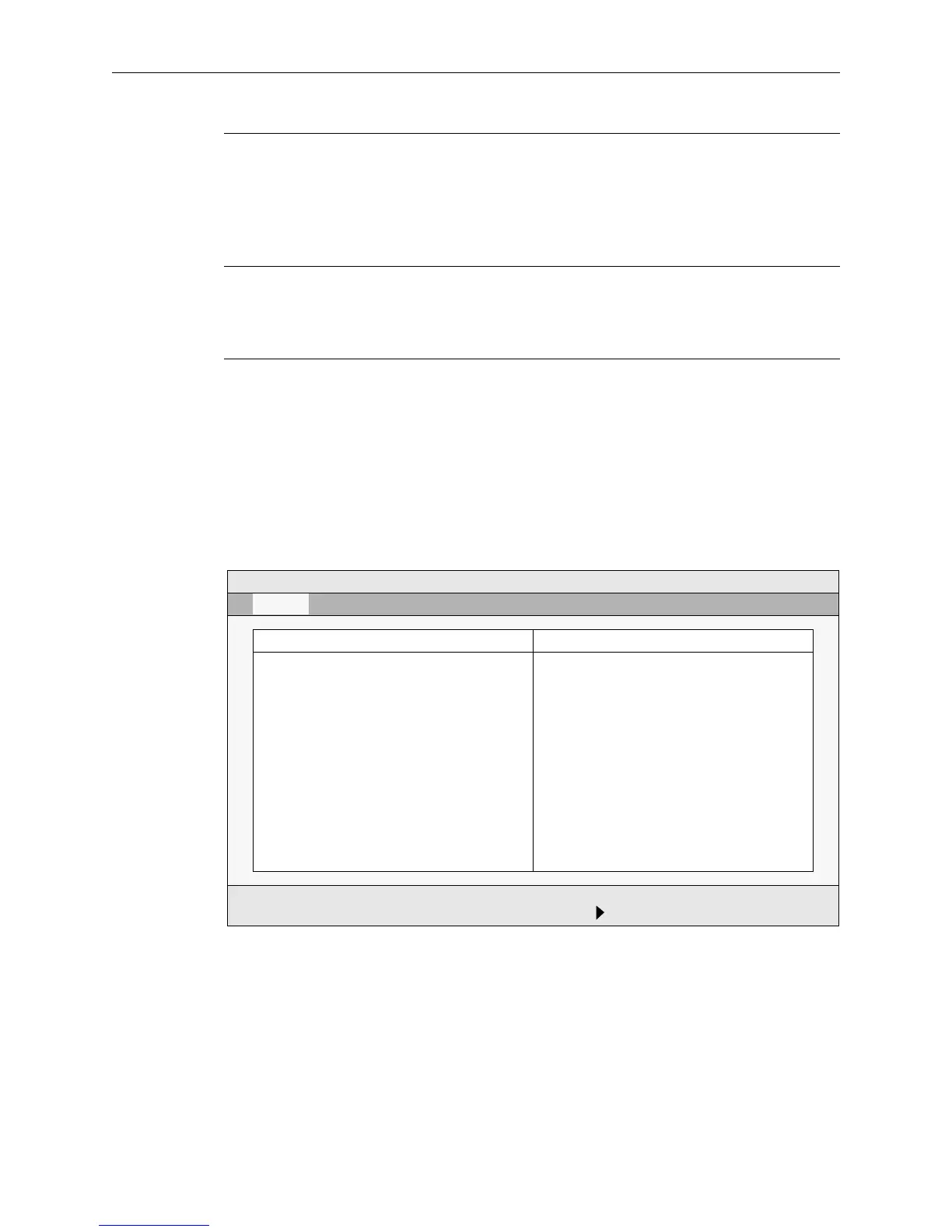
Figure 3-2. IDE Adapter sub-menu
PhoenixBIOS Setup - Copyright 1985-95 Phoenix Technologies Ltd.
IDE Adapter 0 Master (C: 262 Mb) Item Specific Help
Autotype Fixed Disk:[Press Enter]
Type: [Auto] 262 Mb
Cylinders: [842]
Heads: [16]
Sectors/Track: [38]
Write Precomp: [0]
LBA Mode Control: Disabled
F1 Help ↑↓ Select Item -/+ Change Values F9 Setup Defaults
ESC Exit ←→ Select Menu Enter Select Sub-Menu F10 Previous Values
Main


 To Next Page