iii
Before you begin
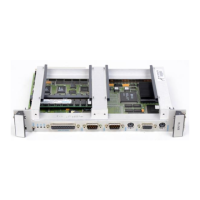
This guide describes the EPC-8A, a highly integrated PC-compatible computer designed
specifically for use in the VMEbus and extended VMEbus (VXIbus) environments.
About this guide
This guide explains how to install, configure, and troubleshoot the EPC-8A, and describes
the EPC-8A and how it works.
Guide contents
Chapters
Appendices
Chapter Description
1 Product description Provides an overview and specifications for the EPC-8A
2 Configuration and Installation
Explains how to configure and install the
EPC-8A.
3 BIOS Configuration Details the various menus and sub-menus used to
configure the system using the Phoenix BIOS.
4 Theory of Operation
Explains how the EPC-8A works
.
5 Programming the
VMEbus Interface
Describes the EPC-8A VMEbus interface as seen by
a program
Appendix Description
A Chipset and I/O Map Defines the I/O addresses decoded by the EPC-8A
B Interrupts and DMA Channels Lists the EPC-8A’s interrupt assignments.
C Connectors Specifies the EPC-8A’s connector details.
D Memory Lists the EPC-8A’s SIMM specifications.
E Subplanes Describes how to install subplanes in the EPC-8A.
F Registers Defines registers in the I/O space specific to the EPC-8A.
G XFORMAT Software for
the EPC-8A
Explains when to use the XFORMAT utility.
H AUTOSET Software Describes how to use the AUTOSET program to
configure the Ethernet controller.
I SVGA Provides operating instructions for user utilities and
installation instructions for the display drivers supplied
with your Chips and Technologies SVGA for the EPC-8A


 To Next Page