Mya 4 Reaction Station – Instructions
Issue 8 Page: 136
The time required to reach a stable state, and the initial overshoot of the set temperature, can vary
depending on which Temperature Control option is chosen. Generally, once an experiment has
reached a stable state, temperature control will be in the region of +/- 0.5 °C.
Temperature Control options for block temperature (Tb) control
The aluminium block that locates the reaction flask (and any insert required) has been designed to
give maximum thermal performance. Block temperature (Tb) control, via an internal temperature
sensor, is therefore fast and accurate, with minimal overshoot and fast stabilisation at the set
temperature.
As the PID values for all the pre-set Temperature Control options are identical for Tb control
(optimised settings for Mya 4), if your experiment is being controlled by block temperature, all
options (A, B, C and D) will give the same rapid and accurate response.
Temperature Control options for reaction temperature (Tr) control
Reduced thermal transfer between contact surfaces, the additional thermal load of the glass
reaction flask (and any insert required), as well as the reaction contents themselves, result in a
system thermal lag.
This thermal lag can produce an overshoot of the set temperature when controlling an experiment
by reaction temperature (Tr), via an external temperature probe. In this case, you can select one of
the four pre-set Temperature Control options (A, B, C and D) based on your application.
Selecting a Temperature Control option
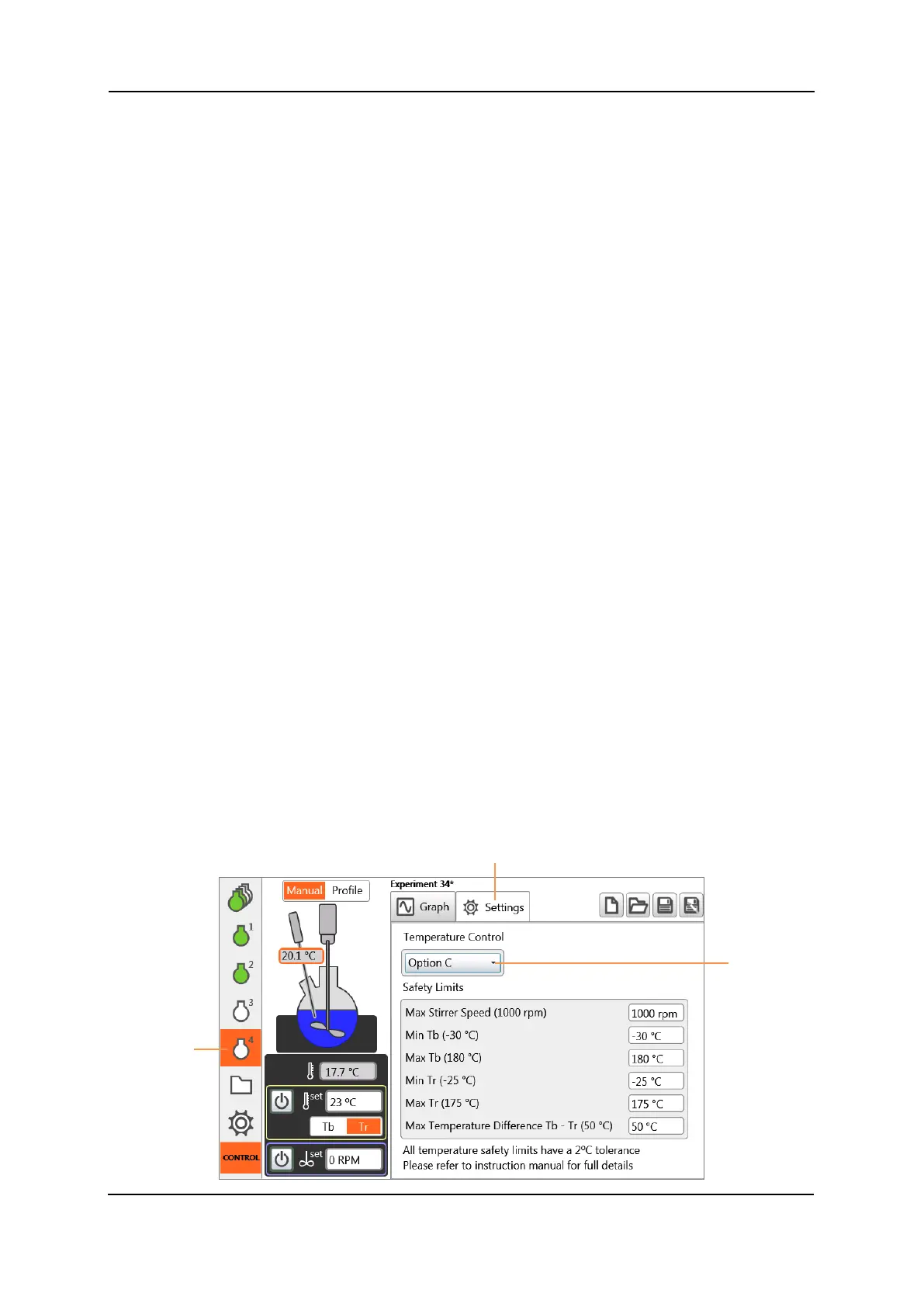
Temperature Control options can be selected independently for each zone.
• To access them, tap on the Settings tab in the required Zone View screen.
• To change the Temperature Control option for an experiment, tap once on the Temperature
Control box and select your preferred option from the drop-down menu (A, B, C or D).
• The new Control option is now displayed.


 To Next Page