15
1.5 SETTING TIME, DAY AND DATE
All our watches feature a screw-down crown. This function guarantees
perfect water resistance until the depth the model was designed for.
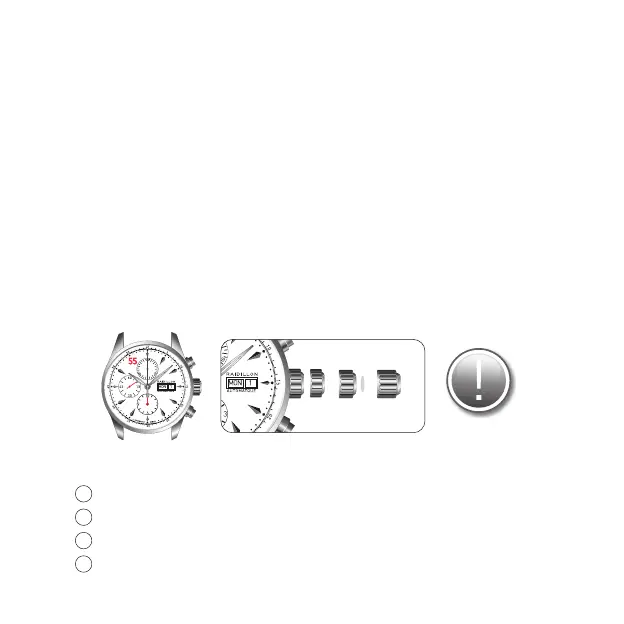
The crown features 4 different positions:
-position 0 : the crown is screwed on
-position 1 : to manually wind up of the watch
-position 2 : to set the day/date
-position 3 : to set the hour/minutes
To perform an action, the crown should always be unscrewed (by turning
downwards) and screwed back, once the action is nished, in order to maintain
water resistance (press towards the case whilst screwing upwards towards the
crown).
1.5.1 Setting time
Unscrew the crown by turning it downwards.
Pull the crown to an extreme position - position (3).
Set the time by turning the crown in the chosen direction.
Place the crown back into position (1) and screw it upwards until it
reaches position (0).
1
2
3
4
0 1 2 3


 To Next Page