EasyManua.ls Logo

Rain Bird SMRT-Y - User Manual

Rain Bird SMRT-Y
32 pages
Print Icon
To Next Page IconTo Next Page
Loading...
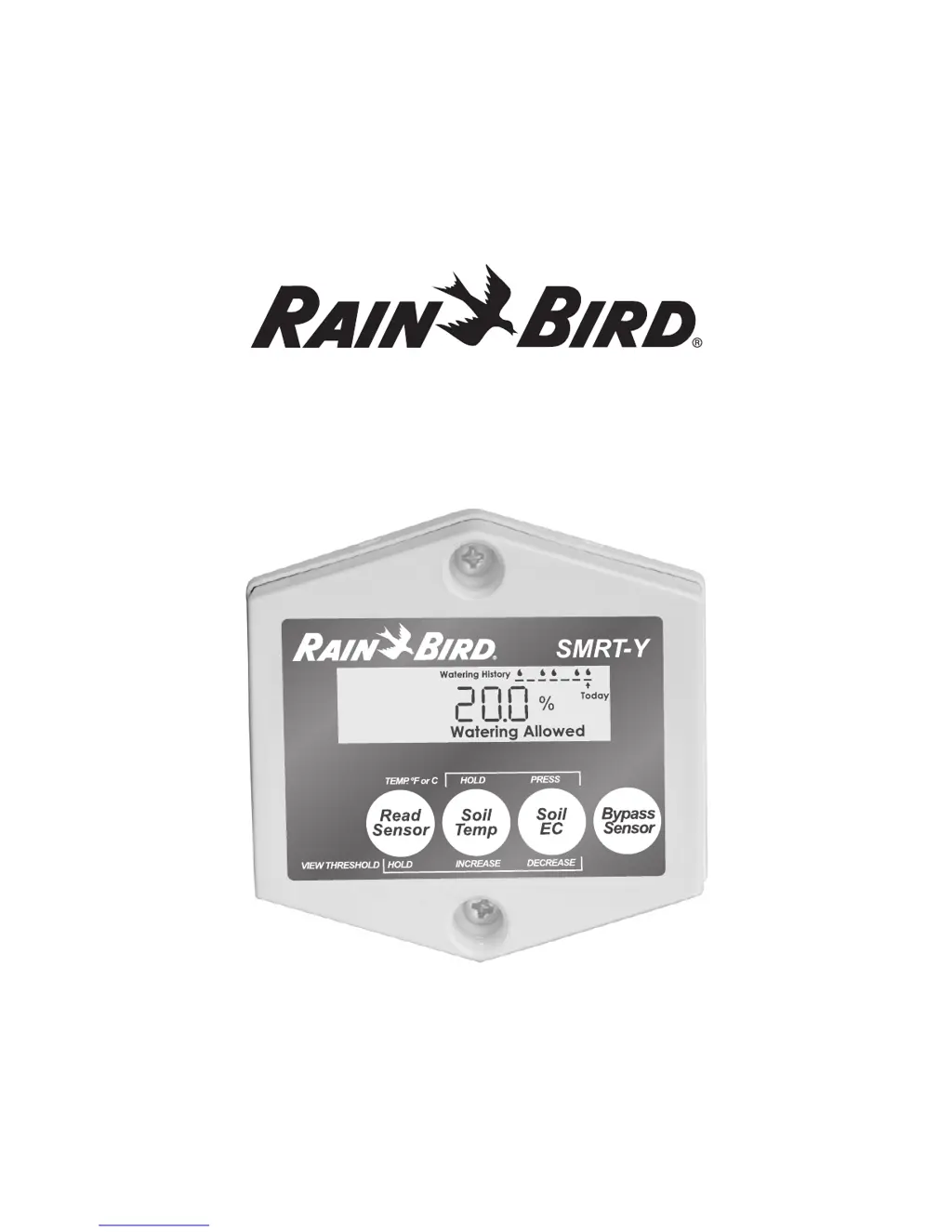
SMRT-Y Soil Moisture Sensor
User Manual Manual del usuario Guide de lutilisateur

Questions and Answers

  • T
    Tara HillJul 26, 2025
    Why is my Rain Bird SMRT-Y system not watering?
    • J
      James SimmonsJul 27, 2025
      If your Rain Bird Accessories system isn't watering, ensure your controller is properly set and running. Also, the system will not water if the soil moisture is not below the moisture threshold setting, indicating sufficient moisture level. Take a soil moisture reading to check if it's above the threshold.
  • W
    walkererikAug 2, 2025
    What to do if there is no change in Rain Bird SMRT-Y system's watering?
    • S
      Shannon BaileyAug 3, 2025
      If there's no change in your Rain Bird Accessories system's watering, first, check the COM wire connection. Second, check all SMRT-Y user interface wiring to ensure the Green or Red wire is connected to the correct zone.
  • F
    Frances VillarrealAug 11, 2025
    How to fix a blank display on Rain Bird Accessories?
    • T
      Terry CollinsAug 11, 2025
      If the display of your Rain Bird Accessories is blank, try the following: * Re-establish power to the SMRT-Y user interface by connecting the Orange wire to the correct 24 VAC terminal on your controller. * Plug in the power cord on your controller.
  • M
    Melissa TerryAug 18, 2025
    What to do if Rain Bird SMRT-Y display shows '00'?
    • F
      Fred HarrisAug 18, 2025
      If the display of your Rain Bird Accessories shows “00”, verify if Rain Sensor is activated. Review the SENSOR INSTALLATION section. Also, check all connections to the sensor and from the SMRT-Y user interface to your controller.

Summary

Introduction to SMRT-Y Soil Moisture Sensor

Items Needed for Installation

Lists necessary tools and materials for installing the SMRT-Y sensor and its user interface.

Panel Description and Features

Details the components and display elements of the SMRT-Y user interface and sensor.

SMRT-SMS Soil Moisture Sensor Installation Guide

SMRT-Y User Interface Installation Steps

User Interface Installation Overview

Provides a general guide for mounting and connecting the SMRT-Y user interface to the controller.

Detailed User Interface Wiring Procedure

Step-by-step instructions for connecting the SMRT-Y interface wires to the irrigation controller terminals.

SMRT-Y Operation and Functionality

Taking Readings and Setting Thresholds

How to read current soil moisture and adjust the irrigation suspension threshold.

Viewing Sensor Data

Displaying soil temperature and changing the display format (Fahrenheit/Celsius).

Viewing Soil EC and Bypass Mode

Displaying conductivity and enabling bypass mode for testing or manual watering.

Understanding Watering Status

Interpreting watering history and system status indicators like 'Suspended' or 'Allowed'.

Setting the Watering Schedule

Calculating Field Capacity and Moisture Threshold

Field Capacity Method for Threshold Setting

Determining soil's field capacity and setting the ideal moisture threshold.

Automatic Moisture Threshold Method

Using an automated process to set the moisture threshold based on soil saturation.

System Setup and Configuration

Recommended Follow-up Actions

Post-installation steps and checks for optimal system performance.

Optional Wiring for Special Zones

Connecting to Xeriscape or Flower Beds

Instructions for wiring special zones to run independently of the sensor.

Special Notes and Compatibility

Troubleshooting Common Issues

Rain Bird SMRT-Y Specifications

General IconGeneral
CategoryAccessories
ConnectivityWi-Fi
Weather-Based AdjustmentsYes
CompatibilityRain Bird controllers
FunctionRemote control and monitoring

Related product manuals