EasyManua.ls Logo

Rain Bird WR2 - User Manual

Rain Bird WR2
36 pages
Print Icon
To Next Page IconTo Next Page
Loading...
WR2 Wireless Sensor
User Manual
Manual del usuario
Manuel de l’utilisa
teur

Table of Contents

Questions and Answers

  • R
    Rachel ReyesJul 27, 2025
    What to do if my Rain Bird WR2 show a low battery?
    • T
      Thomas SmithJul 27, 2025
      If your Rain Bird Accessories device indicates a low battery, replace it. Remove the battery cassette from the sensor, then remove the battery from the cassette. Insert a new battery, using the label on the battery cassette to properly orient the battery. Then, insert the battery cassette back into the sensor. The sensor LED will blink once to indicate the sensor is powered up. Under normal operation, the battery should last for four or more years.
  • H
    holmesrachelAug 7, 2025
    What to do if Rain Bird WR2 Accessories sensor pairing is broken?
    • S
      Susan BradleyAug 7, 2025
      If the sensor pairing is broken, first check and replace the battery. If a new battery is installed, the sensor will automatically reacquire the Controller Interface.
  • T
    Tina HallAug 15, 2025
    How to fix initial power up failure in Rain Bird Accessories?
    • S
      Shane WongAug 15, 2025
      To resolve an initial power up failure, check for correct wiring of the Controller Interface to the Irrigation Controller.

Summary

Safety and Introduction

Safety Information

Provides crucial safety warnings and symbols used in the manual for user protection.

Introduction to WR2 Wireless Sensor

Welcomes users and explains the purpose and benefits of the Rain Bird WR2 Wireless Sensor.

WR2 Components and Benefits

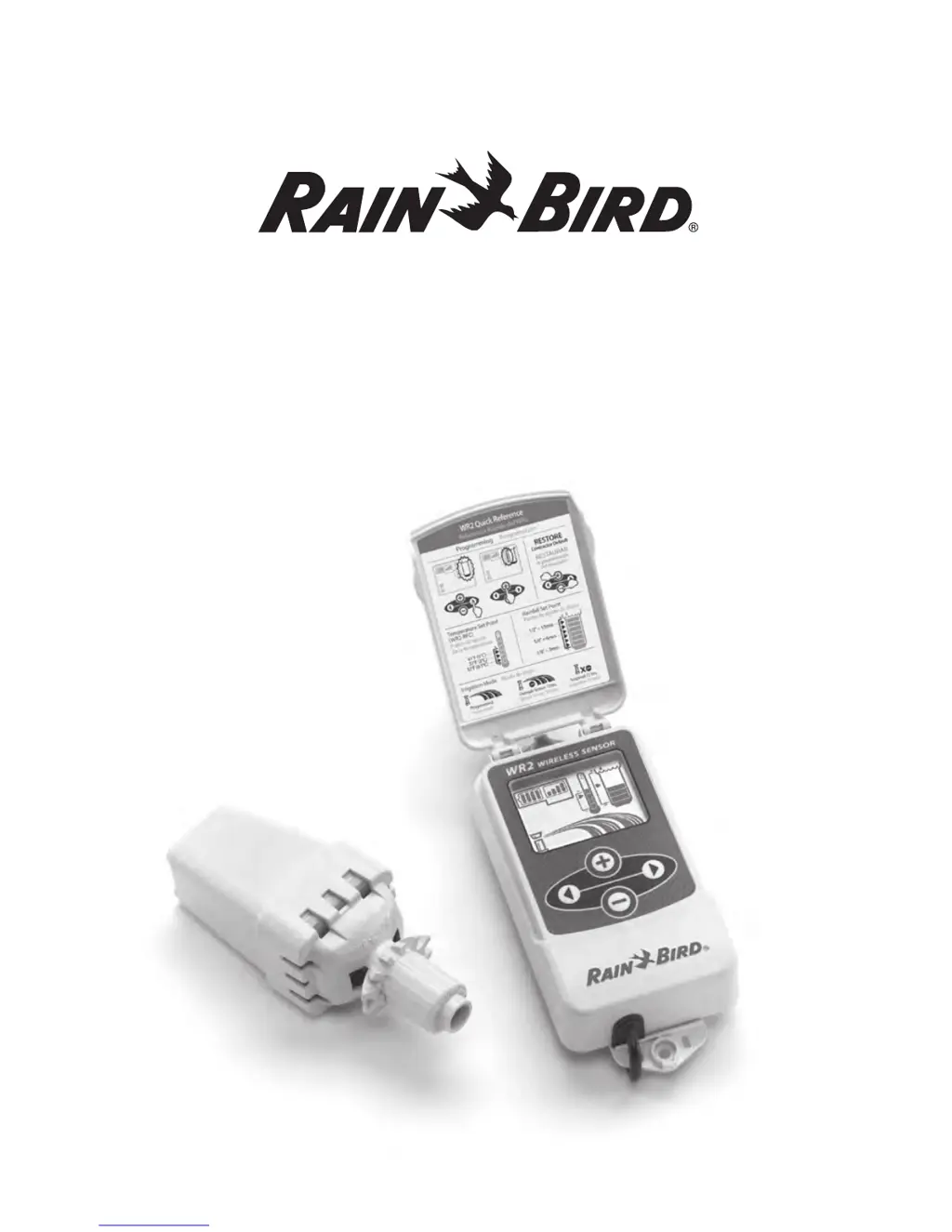
WR2 Components

Lists and identifies all the physical parts included with the WR2 Wireless Sensor system.

WR2 Benefits

Highlights the key advantages and features of using the WR2 Wireless Sensor for irrigation.

Installation and Wiring

Mounting the Controller Interface

Provides guidance on selecting an optimal location for mounting the WR2 Controller Interface.

Wiring the Controller Interface

Details the electrical connections required to wire the Controller Interface to various irrigation controllers.

Initial Setup and Display

Initial Power Up and Display Icons

Explains system startup and the meaning of various icons on the Controller Interface display.

Environmental Conditions and Set Points

Describes how the sensor monitors environmental conditions like rainfall and temperature set points.

Operation and Synchronization

Irrigation Modes

Outlines the different irrigation modes the WR2 sensor can manage, including programmed and override modes.

Synchronize Sensor and Controller

Guides users through the process of establishing a radio communication link between the sensor and interface.

Programming Features

Programming Set Points

Details how to set rainfall and temperature thresholds for irrigation suspension.

Programming Irrigation Modes

Explains how to select and configure the desired irrigation modes for the system.

Settings Management and Location Selection

Saving, Resetting, and Restoring Settings

Covers procedures for saving defaults, resetting, and restoring system settings.

Select Sensor Location

Provides criteria and advice for choosing the optimal mounting location for the sensor.

Mounting Instructions and Multi-Interface Use

Sensor Mounting Instructions

Offers detailed steps for physically mounting the WR2 sensor bracket to gutters or flat surfaces.

Using Multiple Controller Interfaces

Explains how to pair multiple controller interfaces with a single WR2 sensor.

Troubleshooting and Parts

WR2 Alerts & Troubleshooting

Lists common alerts, their descriptions, and recommended resolutions for troubleshooting issues.

Replacement or Spare Parts

Identifies part numbers for replacement batteries and disk assemblies for the WR2 sensor.

Compliance Information

Declaration of Conformity

States the directives and standards to which the WR2 Wireless Sensor equipment conforms.

Rain Bird WR2 Specifications

General IconGeneral
TypeWireless Rain/Freeze Sensor
Weather-resistant CaseYes
Temperature SensorYes
MaterialPlastic
Wireless RangeUp to 300 feet (91 meters)
MountingWall or eave mount

Related product manuals