4
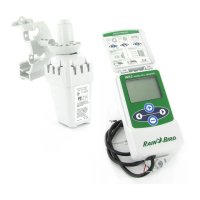
WR2 Wireless SensortXXXSBJOCJSEDPN83
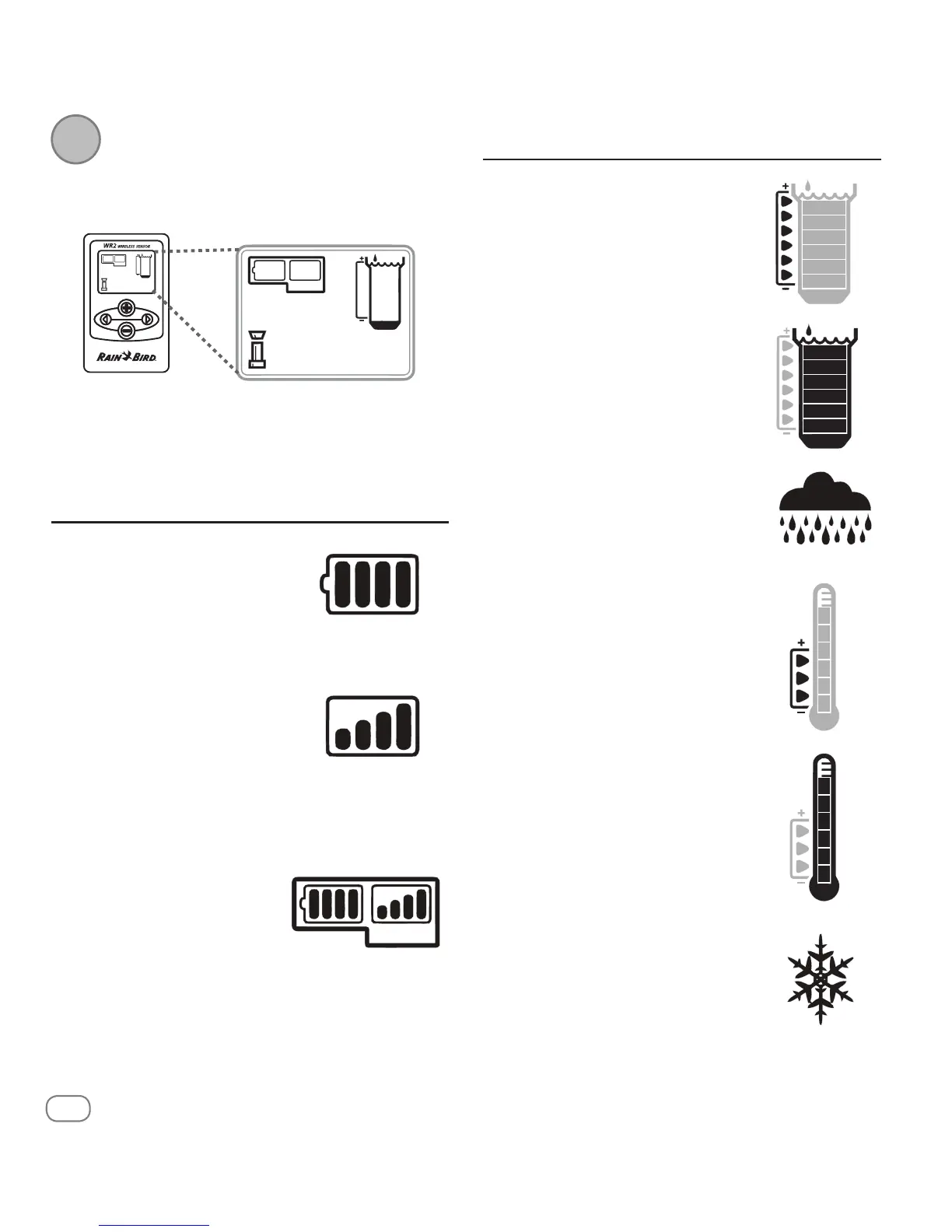
Controller Interface Display Icons
Sensor Status
Battery Life Remaining: Four
EBSLCBSTJOEJDBUFGVMMCBUUFSZ
TUSFOHUI3FQMBDFCBUUFSZXIFO
POMZPOFCBSSFNBJOT
Signal Strength: Illustrates
strength of the radio signal
CFUXFFO4FOTPSBOE$POUSPMMFS
*OUFSGBDF'PVSEBSLCBST
indicate maximum signal
strength.
Sensor Indicator / Pairing
Status: The Sensor and
Controller Interface synchronize
communication addresses.
Battery Life and Signal Strength
XJMMøBTIXIJMFTZODISPOJ[JOH
BOEUIFOTUPQXIFOQBJSFE
Environmental Conditions
Rainfall Set Point:
Select from six (6) set points ranging
from 1/8” (3mm) to 1/2” (13mm). A
set point closer to the top of the icon
BMMPXTGPSNPSFQSFDJQJUBUJPOUPPDDVS
CFGPSFJSSJHBUJPOJTTVTQFOEFE
Rainfall Indicator:
Illustrates approximate amount of
rainfall relative to Rainfall Set Point.
Rainfall Trip Indicator:
%JTQMBZTXIFOUIF4FOTPSIBT
suspended irrigation due to "Quick
Shut O" or satisfying rainfall set
point.
Temperature Set Point
(Rain/Freeze Sensor only):
Select from three (3) set points:
¡'¡$¡'¡$PS¡'¡$
4FMFDUJOHBMPXFSTFUQPJOUBMMPXT
JSSJHBUJPOBUMPXFSUFNQFSBUVSFT
Temperature Indicator
(Rain/Freeze Sensor only):
Illustrates approximate temperature
relative to Temperature Set Point
Temperature Trip Indicator
(Rain/Freeze Sensor only):
0OMZEJTQMBZTXIFOUIF4FOTPS
has suspended irrigation due to
UFNQFSBUVSFSFBEJOHUIBUJTCFMPXUIF
temperature set point.
Initial Power Up
"GUFSQPXFSJTBQQMJFEUIF$POUSPMMFS*OUFSGBDFEJTQMBZTUIF
GPMMPXJOHJDPOT
3


 To Next Page