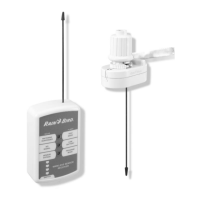
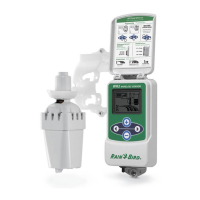
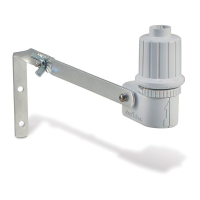
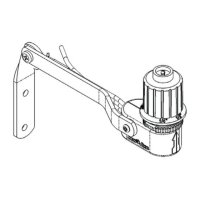
WR2 Wireless SensortXXXSBJOCJSEDPN83
9
Sensor. The Controller Interface “Sensor Indicator /
1BJSJOH4UBUVTwJDPOTUPQTøBTIJOHXIFOUIFEFWJDFJT
TZODISPOJ[FEUPUIF4FOTPS$POUJOVFXJUIQSPHSBN
ming the second Controller Interface.
4. Repeat step 3 to pair additional Controller Interface units
to the Sensor.
5. When multiple Controller Interface units are paired to
POFTFOTPSSFMZPOUIF-$%TDSFFOTJHOBMTUSFOHUIJOEJDB
tions only.
WR2 Wireless Sensor Alerts & Troubleshooting
5IFVOJRVFUXPXBZDPNNVOJDBUJPOUFDIOPMPHZPGUIF3BJO#JSE8JSFMFTT3BJOBOE3BJO'SFF[F4FOTPSQSPWJEFTDPOUJOVPVT
NPOJUPSJOHPGUIF4FOTPSTUBUVTBOEDPNNVOJDBUFTUIFGPMMPXJOH$POUSPMMFS*OUFSGBDFBMFSUT
Alert LCD Display Description Resolution
Initial Power
Up Failure
-$%TDSFFOJTCMBOL *OJUJBM1PXFSVQTDSFFOJDPOT
do not appear indicating the
Controller Interface is not
SFDFJWJOHQPXFS
$POöSNDPSSFDUXJSJOHPGUIF$POUSPMMFS
Interface to the Irrigation Controller.
No Sensor Paired “Sensor Indicator / Pairing
Status” icon continues to
øBTI
During Installation: The sensor
does not pair and is not commu
OJDBUJOHXJUIUIF$POUSPMMFS
Interface.
1. Pair the sensor (see Section
4
).
*GTUFQEPFTOPUDPSSFDUUIFTJUVBUJPOUIFO
DIFDLSFQMBDFUIFCBUUFSZ
Sensor Pairing
Broken
“Sensor Indicator / Pairing
Status” icon does not
DPNNVOJDBUFCBUUFSZMJGFPS
signal strength
After the WR2 Wireless Sensor is
in operation: A sensor that does
OPUDPNNVOJDBUFCBUUFSZMJGF
signal strength to the Controller
Interface is no longer paired.
'JSTUDIFDLSFQMBDFUIFCBUUFSZ*GBOFX
CBUUFSZJTJOTUBMMFEUIFTFOTPSBVUPNBUJDBMMZ
reacquires the Controller Interface.
2. If you replace a sensor that is paired to the
$POUSPMMFS*OUFSGBDFZPVXJMMIBWFUPQBJSUIF
OFXTFOTPSUPUIF$POUSPMMFS*OUFSGBDF
Low Battery “Battery Life Remaining”
JDPOIBTPOMZPOFCBS
illuminated
The Sensor has transmitted a
TJHOBMUIBUCBUUFSZMJGFJTMPX
3FQMBDFUIFCBUUFSZ
3FNPWFCBUUFSZDBTTFUUFGSPNTFOTPS
3FNPWFCBUUFSZGSPNDBTTFUUF
*OTFSUOFXCBUUFSZVTJOHMBCFMPOCBUUFSZ
DBTTFUUFUPQSPQFSMZPSJFOUCBUUFSZ
*OTFSUCBUUFSZDBTTFUUFJOUPTFOTPS
4FOTPS-&%CMJOLTPODFUPJOEJDBUFUIFTFOTPS
JTQPXFSFEVQ
6OEFSOPSNBMPQFSBUJPOCBUUFSZTIPVMEMBTUGPS
four (4) or more years.
Replacement or Spare Parts
t83#BUUFSZ4
t83%JTL"TTFNCMZ4


 To Next Page