EN
EN
Contents
Safety Information ..............................................1
Interference With Other Electronic Devices .....................1
Introduction. . . . . . . . . . . . . . . . . . . . . . . . . . . . . . . . . . . . . . . . . . . . . . . . . . . . .1
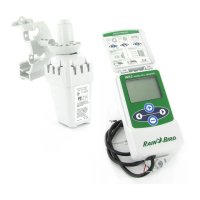
WR2 Components ...............................................2
WR2 Benets ....................................................2
Mounting the Controller Interface ...............................2
Wiring the Controller Interface to the Irrigation Controller .......3
Initial Power Up .................................................4
Controller Interface Display Icons ................................4
Sensor Status .................................................4
Environmental Conditions .....................................4
Irrigation Modes .............................................5
Synchronize the Sensor and Controller Interface .................5
Programming the Set Points .....................................6
Rainfall Set Point ..............................................6
Temperature Set Point (Rain/Freeze Sensor only) ................6
Programming Irrigation Modes ..................................6
Saving, Resetting and Restoring Settings ........................7
Save Contractor Default Settings ...............................7
Reset Contractor Default Settings ..............................7
Restore Contractor Default Settings ............................7
Restore Standard Setting ......................................7
Select the Sensor Location .......................................7
Sensor Mounting Instructions ...................................8
Using Multiple Controller Interface Units ........................8
WR2 Wireless Sensor Alerts & Troubleshooting ..................9
Replacement or Spare Parts .....................................9
Declaration of Conformity ......................................10


 To Next Page