Need help?
Do you have a question about the RainPoint Smart + and is the answer not in the manual?
Explains the various indicators and buttons on the receiver display unit, labeled with numbers 1 through 10.
Details the LCD display, antenna, and LED indicator of the pool thermometer unit, labeled 1 through 3.
Specifies the operating temperature range for the receiver and pool thermometer, and humidity range for the receiver.
Instructions for powering the receiver unit by inserting 2*AA alkaline batteries, noting polarity.
Guide to powering the pool thermometer with batteries and initiating auto-pairing with the receiver unit.
Explains when to replace batteries in the receiver based on the battery indicator next to indoor humidity.
Details when to replace batteries in the pool thermometer when the battery indicator appears on it.
This document provides a comprehensive user manual for the RainPoint Smart Garden Irrigation System, featuring two models: HS528 and HS015. The system is designed to help users monitor indoor temperature, humidity, and pool temperature, enabling more efficient water management.
The manual begins with a warm welcome to the RainPoint family, encouraging users to read the manual thoroughly before use and to save it for future reference. Contact information for customer support, including a website, email, and a US Free Hotline, is prominently displayed, ensuring users can easily reach out for assistance.
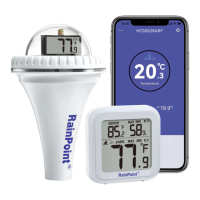
The RainPoint Smart Garden Irrigation System consists of a receiver (HS015) and a pool thermometer (HS528). The receiver is the central unit that displays various environmental readings, while the pool thermometer is a remote sensor designed to measure water temperature.
The receiver provides a clear LCD display with several key indicators:
The pool thermometer is a robust, waterproof device designed for accurate water temperature measurement:
The manual provides a straightforward guide for setting up the system, emphasizing the importance of using new alkaline batteries and proper installation.
The manual provides detailed instructions for installing the pool thermometer to ensure its waterproof integrity:
The system provides clear indicators for low battery status:
Regular battery replacement is crucial for the optimal performance of both the receiver and the pool thermometer. Ensuring the waterproof seal of the pool thermometer is correctly installed and maintained will prevent water damage and ensure longevity.
RainPoint offers a 3-year limited warranty on the product, covering defects in workmanship or materials. The manual stresses that proof of purchase from an authorized distributor is required for warranty claims. Damages resulting from improper installation, unauthorized modification, or repair are not covered. Users are encouraged to contact customer support via email or the provided hotline for any issues or warranty inquiries.
The device complies with FCC rules, ensuring it does not cause harmful interference and accepts any received interference. Users are warned that unauthorized modifications could void their authority to operate the equipment. Troubleshooting steps for interference issues are also provided, including reorienting antennas, increasing separation between devices, and consulting a technician.
For users who find setup challenging, RainPoint suggests subscribing to their YouTube channel for tutorial videos. A QR code is provided for quick access to the channel. Additional support contact information, including a hotline and email, is reiterated for any further assistance.
In summary, the RainPoint Smart Garden Irrigation System offers a user-friendly solution for monitoring indoor and pool environmental conditions, supported by clear instructions, troubleshooting tips, and robust customer service.
 General
| Type | Smart Irrigation Controller |
|---|---|
| Connectivity | Wi-Fi |
| App Support | RainPoint App (iOS and Android) |
| Voice Control | Amazon Alexa, Google Assistant |
| Weather Resistance | Yes (IP66 rated) |
| Scheduling | Yes, customizable schedules |
| Control Method | App, Voice |

 To Next Page