Need help?
Do you have a question about the RainPoint Smart+ HCS021 and is the answer not in the manual?
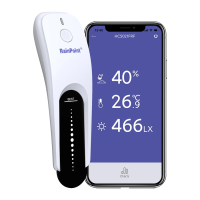
Overview of the RainPoint Soil Moisture Sensor, including its operation button and battery cover.
Technical specifications of the sensor including waterproof level, temperature, humidity, light intensity, communication, range, and power.
Key features of the soil moisture sensor, such as measurement capabilities, app control, and design.
Steps to connect the RainPoint Soil Moisture Sensor to the hub using the mobile application.
Instructions for physically installing the soil moisture sensor in the ground for accurate readings.
Overview of the device's home page in the app, detailing displayed information like temperature, moisture, and light.
Guide to accessing and managing basic device settings within the mobile application.
Instructions on viewing historical soil moisture, temperature, and light intensity data in graphical format.
 General
| Brand | RainPoint |
|---|---|
| Model | Smart+ HCS021 |
| Category | Irrigation System |
| Language | English |

 To Next Page