Documentation Center
Bootloader Update via USB
In this method, you need two things that must be in the same directory:
1. Adafruit-nrfutil utility program
2. RAK4631 Bootloader FW
For Windows
Download the adafruit-nrfutil.exe and the latest RAK4631 bootloader firmware .
📝
NOTE
Detailed information about the RAK4631 Bootloader can be found on the bootloader repository .
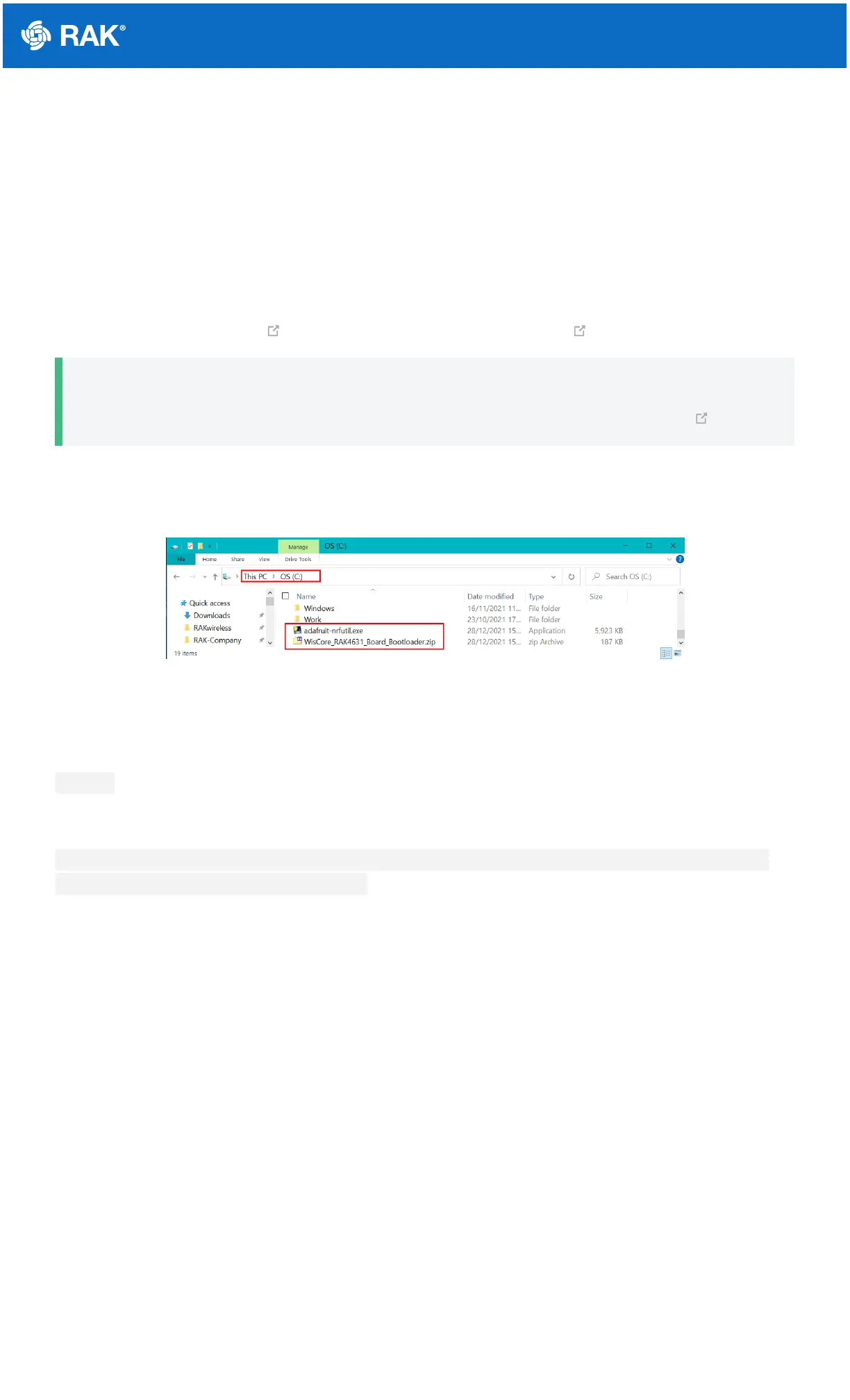
Once you downloaded these files, you need to put them in the same directory/folder on your computer.
For simplicity, this guide will assume the files are in C: drive.
Figure 20: Adafruit-nrfutil and RAK4631 Bootloader file in C: drive
When the files are ready, you need to open the Windows Command Prompt application. Then you need to change
the location to C:.
cd C:\
After that, you can now execute the update using this command:
adafruit-nrfutil.exe --verbose dfu serial --package WisCore_RAK4631_Board_Bootloader.zip --port
COM19 -b 115200 --singlebank --touch 1200


 To Next Page