Documentation Center
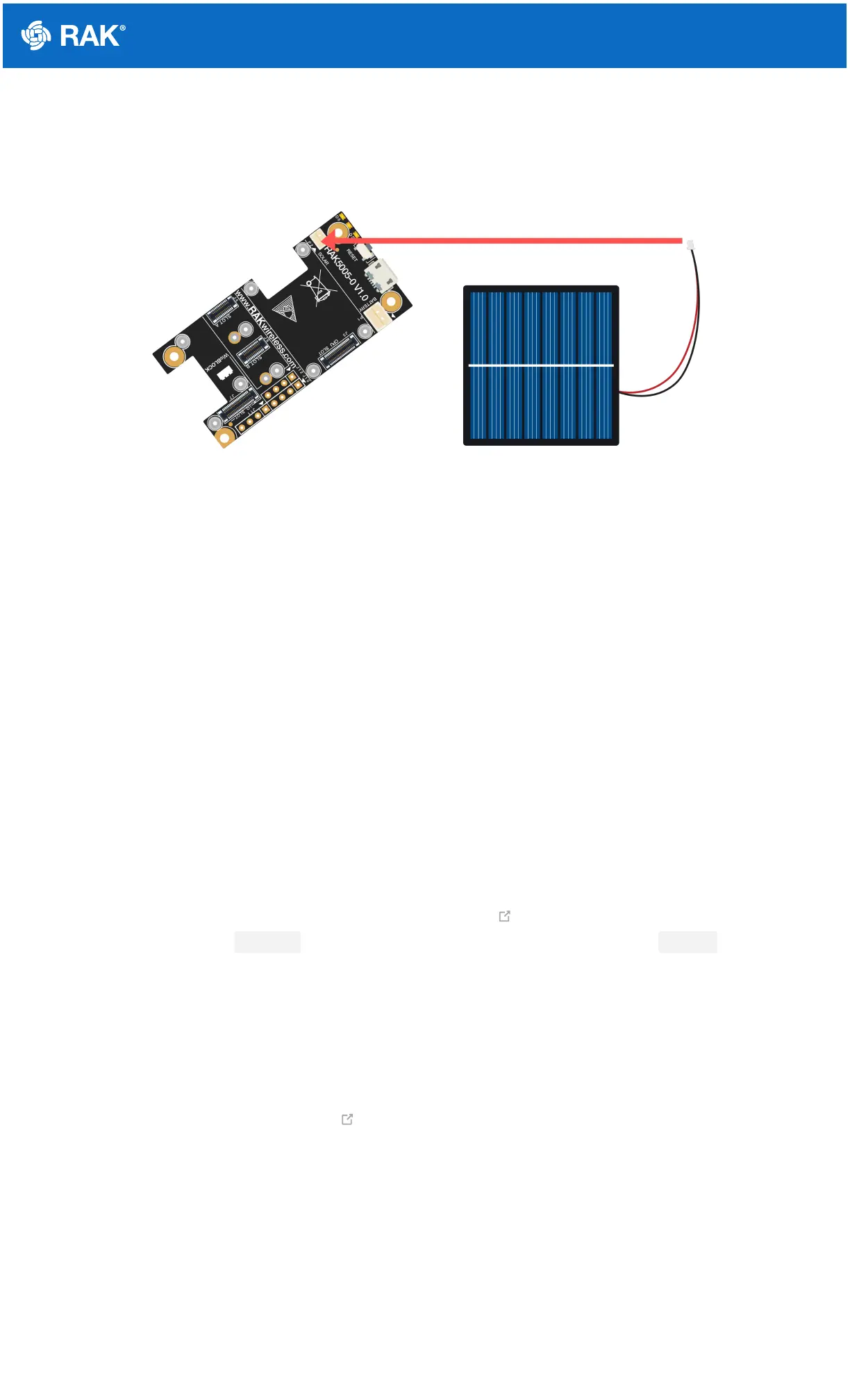
Figure 13: Solar Panel Connection
Specification of the battery and solar panel can be found on the datasheet of the WisBlock Base.
Software Setup
RAK4631 WisBlock Core is designed to be interfaced with other WisBlock Modules like sensors, displays, and
other interfaces. To make useful devices, you need to upload a source code to the RAK4631. Before you continue,
you should have either the Arduino BSP or Platform IO already setup.
RAK4631 Example Repository
To quickly build your IoT device with less friction, example codes for RAK4631 to be used on all WisBlock Modules
are provided.
You can access the codes on the WisBlock Example code repository . The example codes compatible only with
RAK4631 are in the folders RAK4631 . The shared examples of the WisBlock Core are in the common folder.
To use these examples, you have two options: Arduino IDE or Platform IO.
RAK4631 on Arduino IDE
Some example codes of various WisBlock Modules like the RAK1901 and RAK1902 are available in the Arduino
IDE once you install the BSP for the Arduino IDE, as shown in Figure 14. The updated and complete WisBlock
examples are still in the WisBlock Examples .


 To Next Page