-
12 -
CONFIGURATION UTILITY
After the Wireless adapter has been successfully installed, users can use the
included Configuration Utility to set their preference.
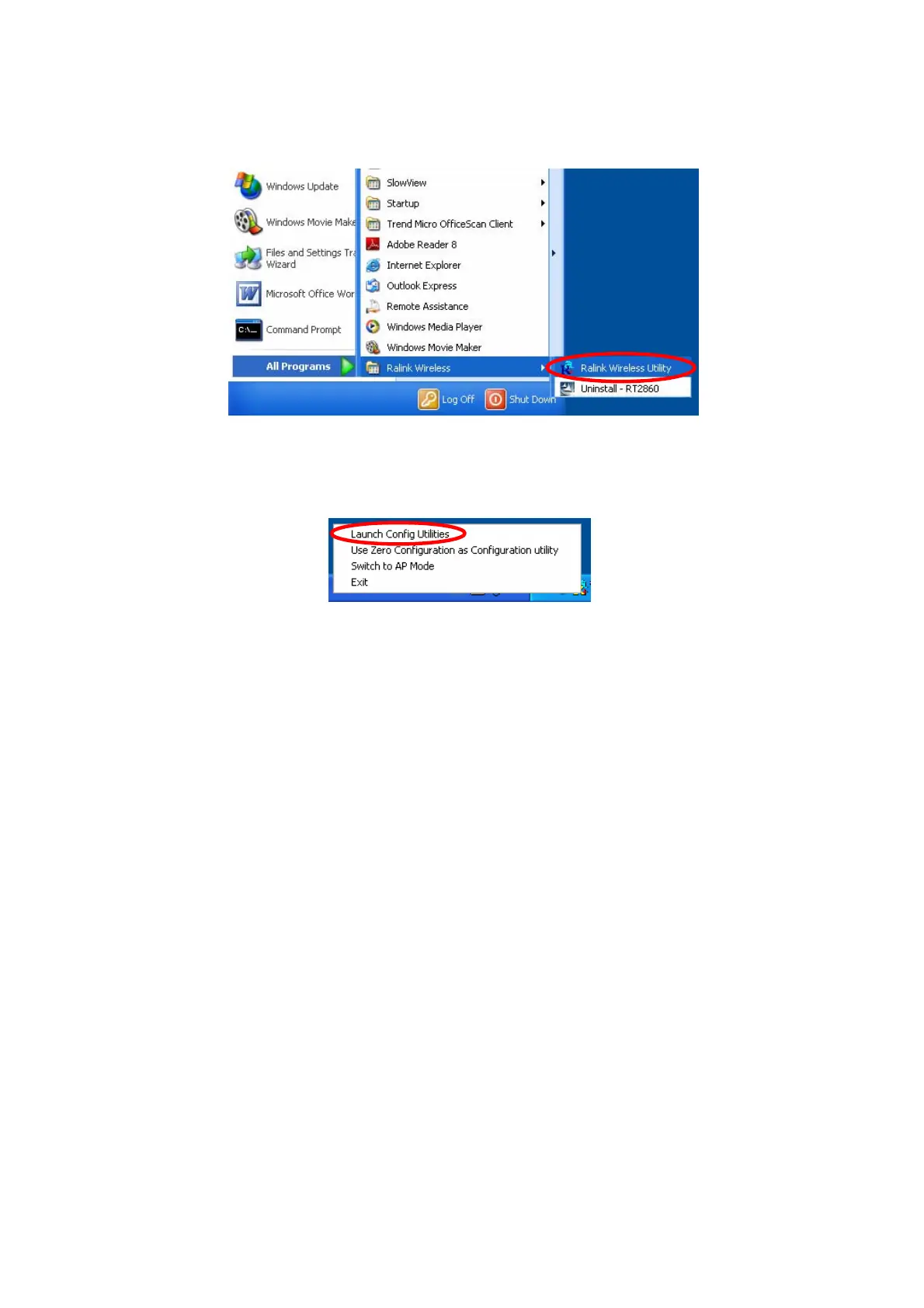
Go to StartJ (All) ProgramsJ Ralink WirelessJ Ralink Wireless Utility.
You can also open the Configuration Utility by double clicking the icon or right
clicking to select Launch Config Utilities.


 To Next Page