-
22 -
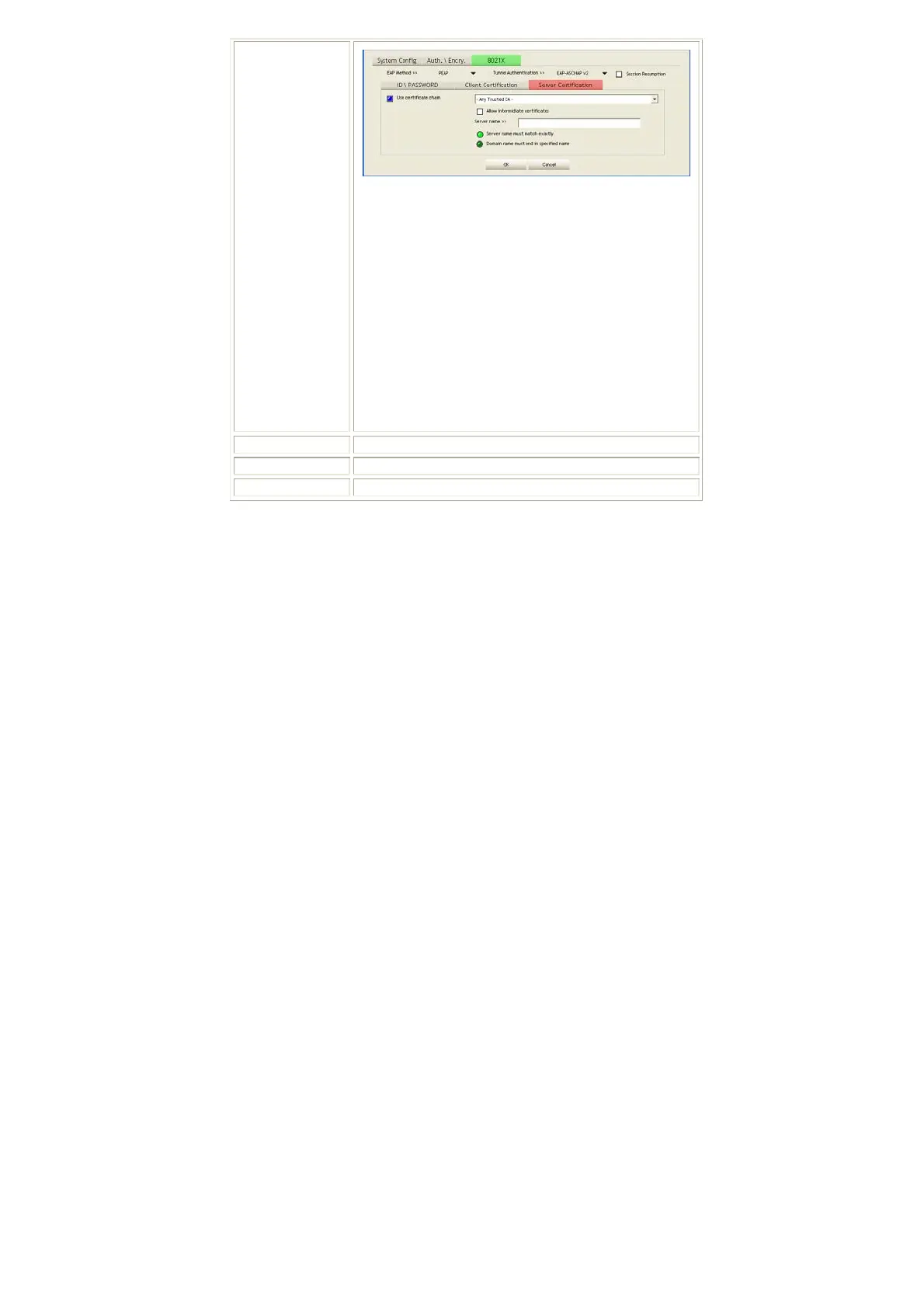
Use Certificate chain: Choose use server that issuer of
certificates.
Allow intimidate certificates: It must be in the server
certificate chain between the server certificate and the
server specified in the certificate issuer must be field.
Server name: Enter an authentication sever root.
Server name must match exactly: Click to enable or
disable this function.
Domain name must end in specified name: Click to
enable or disable this function.
OK: Click to save settings and exit this page.
Cancel: Click call off the settings and exit.
Delete
Click to delete an existing profile.
Edit
Click to edit a profile.
Activate
Click to make a connection between devices.
Network
The Network page displays the information of surrounding APs from last scan
result. The tab lists the information including SSID, Network type, Channel,
Wireless mode, Security-Enabled and Signal.


 To Next Page