-
23 -
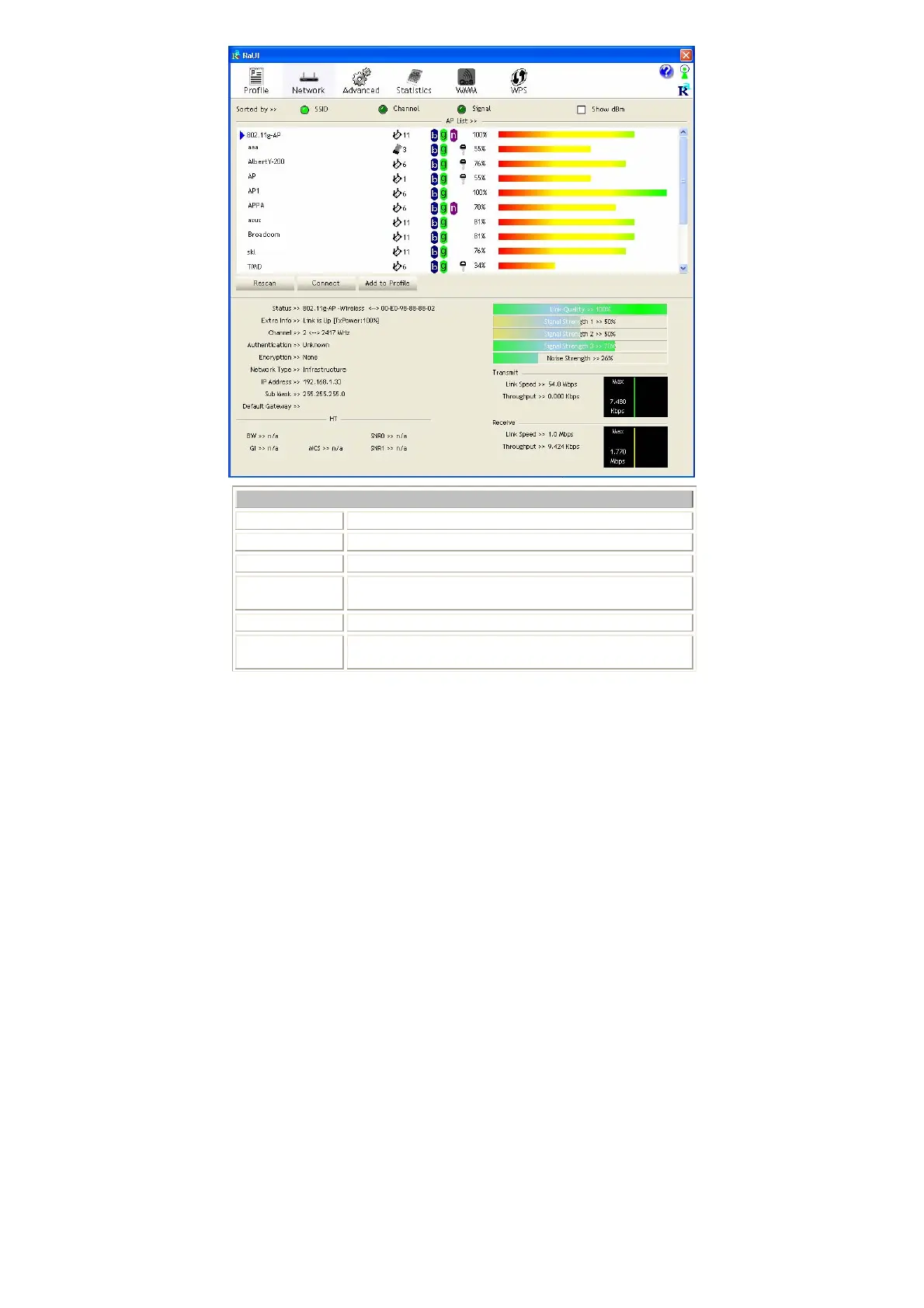
Network Tab
Sorted by
Indicate that AP list are sorted by SSID, Channel or Signal.
Show dBm
Check the box to show the dBm of the AP list.
SSID
Shows the name of BSS network.
Network Type
Network type in use, Infrastructure for BSS.
Channel
Shows the currently used channel.
Wireless mode
AP support wireless mode. It may support 802.11a,
802.11b, 802.11g or 802.11n wireless mode.


 To Next Page