-
15 -
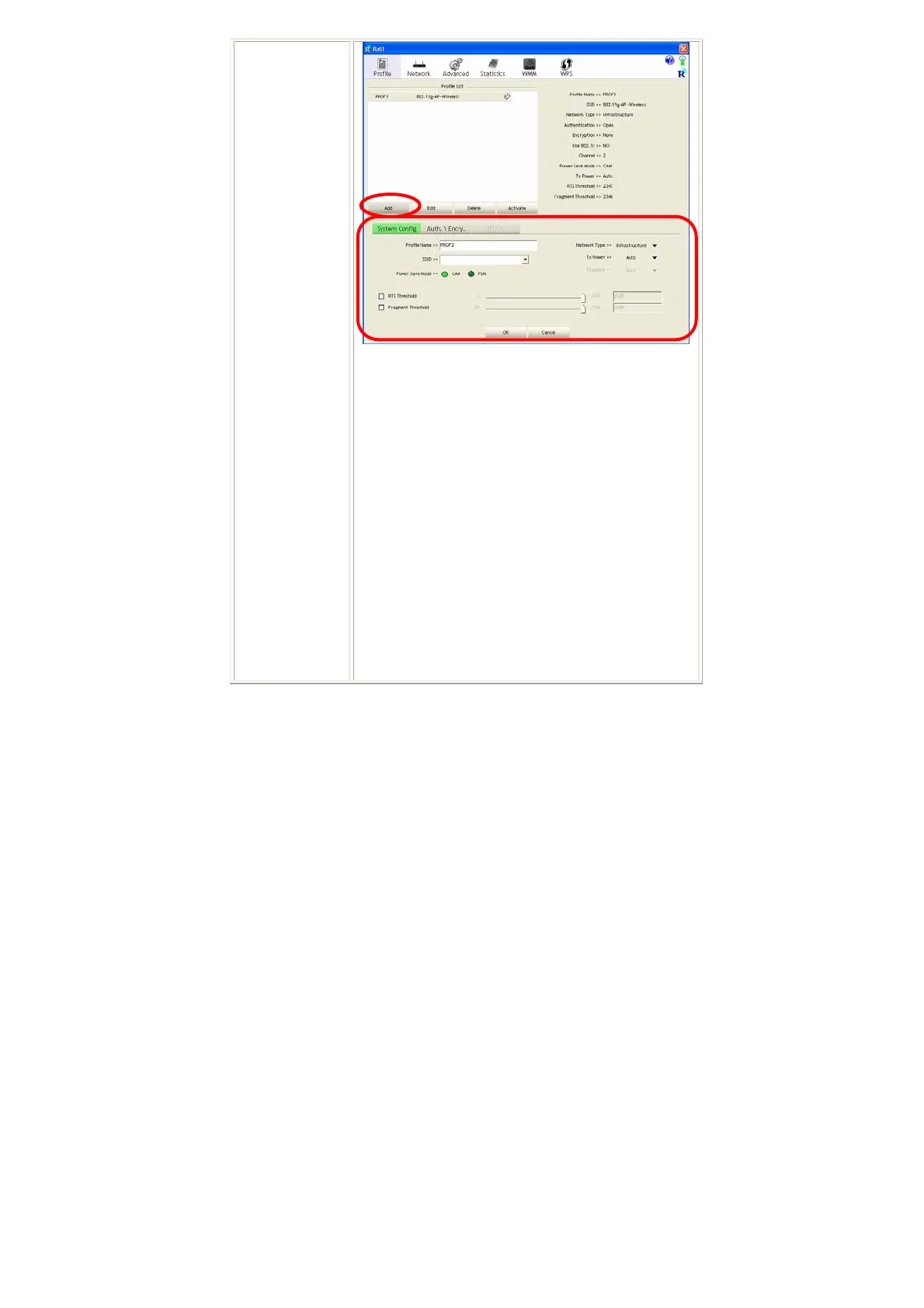
Profile Name: User can enter profile name, or use default
name defined by system. The default is PROF# (# 1, #2,
#3....).
SSID: The SSID is the unique name shared among all
points in your wireless network. The name must be
identical for all devices and points attempting to connect
to the same network. User can use pull-down menu to
select from available APs.
Power Save Mode:
• CAM (Constantly Awake Mode): When this mode is
selected, the power supply will be normally provided
even when there is no throughput.
• PSM (Power Saving Mode): When this mode is
selected, this device will stay in power saving mode
even when there is high volume of throughput.
Network Type: There are two types, infrastructure
modes.


 To Next Page