GETTING TO KNOW YOUR VEHICLE 27
UCONNECT VOICE RECOGNITION QUICK TIPS
INTRODUCING VOICE RECOGNITION
Start using Uconnect Voice Recognition with
these helpful quick tips. It provides the key
Voice Commands and tips you need to know to
control your vehicle’s Voice Recognition (VR)
system.
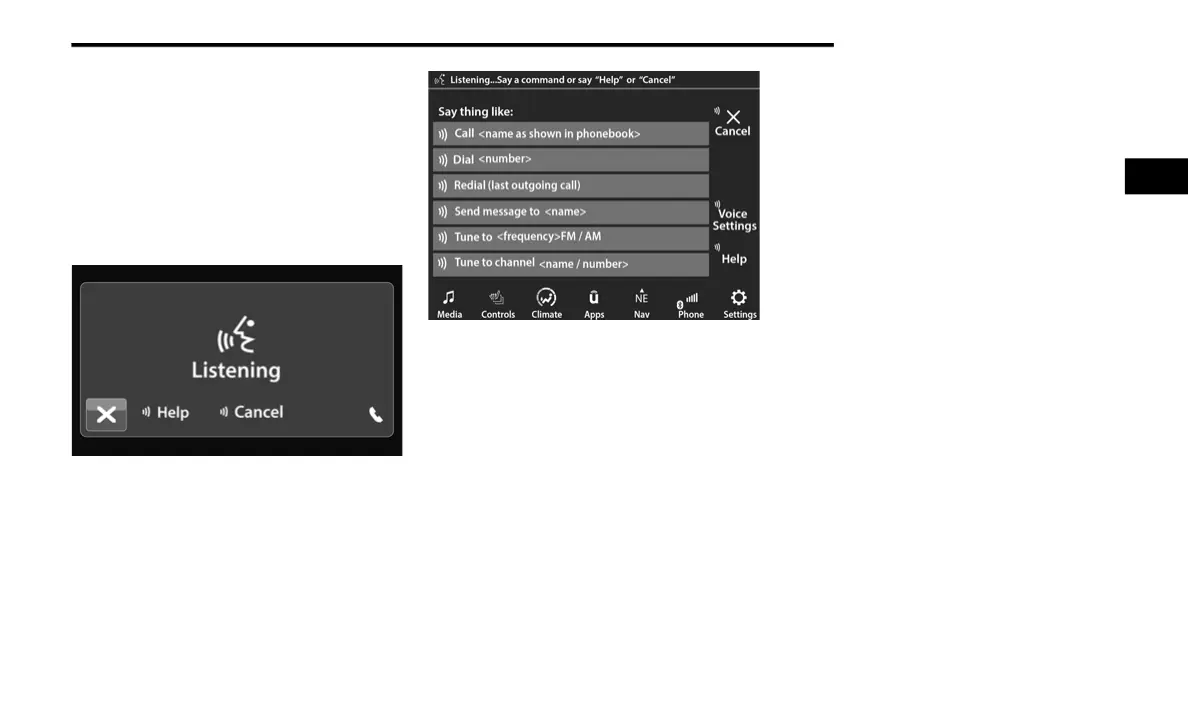
Uconnect 3 With 5-inch Display
Uconnect 4C/4C NAV With 8.4-inch Display
If you see the NAV icon on the bottom bar or in
the Apps menus of your 8.4-inch touchscreen,
you have the Uconnect 4C NAV system. If not,
you have a Uconnect 4C with 8.4-inch display
system.
BASIC VOICE COMMANDS
The basic Voice Commands below can be given
at any point while using your Uconnect system.
Push the VR button. After the beep, say:
“Cancel” to stop a current voice session.
“Help” to hear a list of suggested Voice
Commands.
“Repeat” to listen to the system prompts
again.
Notice the visual cues that inform you of your
Voice Recognition system’s status.
2
21_DS_OM_EN_USC_t.book Page 27



 To Next Page