USB section
T - USB audio socket. Available as an option on RP500-03. USB handles:
Audio from RP500 to computer. Audio is ANTENNA out. On request PGM2 out can be send to USB.
Audio from computer to RP500. The signal is available on U and V sockets (see below).
U - Cinch left audio out, option available on RP500-3.
V - Cinch right audio out, option available on RP500-3.
These outputs are to be bridged to one of the inputs, allowing to use USB input on the desired channel.
MASTER MIC section
W - Key to select Line or Mic for X input MASTER MIC
Key pressed Microphone level.
Key depressed Line level.
X - 3 pins electronically balanced female XLR socket input for Mic or Line according to W position (1 Ground,
2 Hot, 3 Cold)
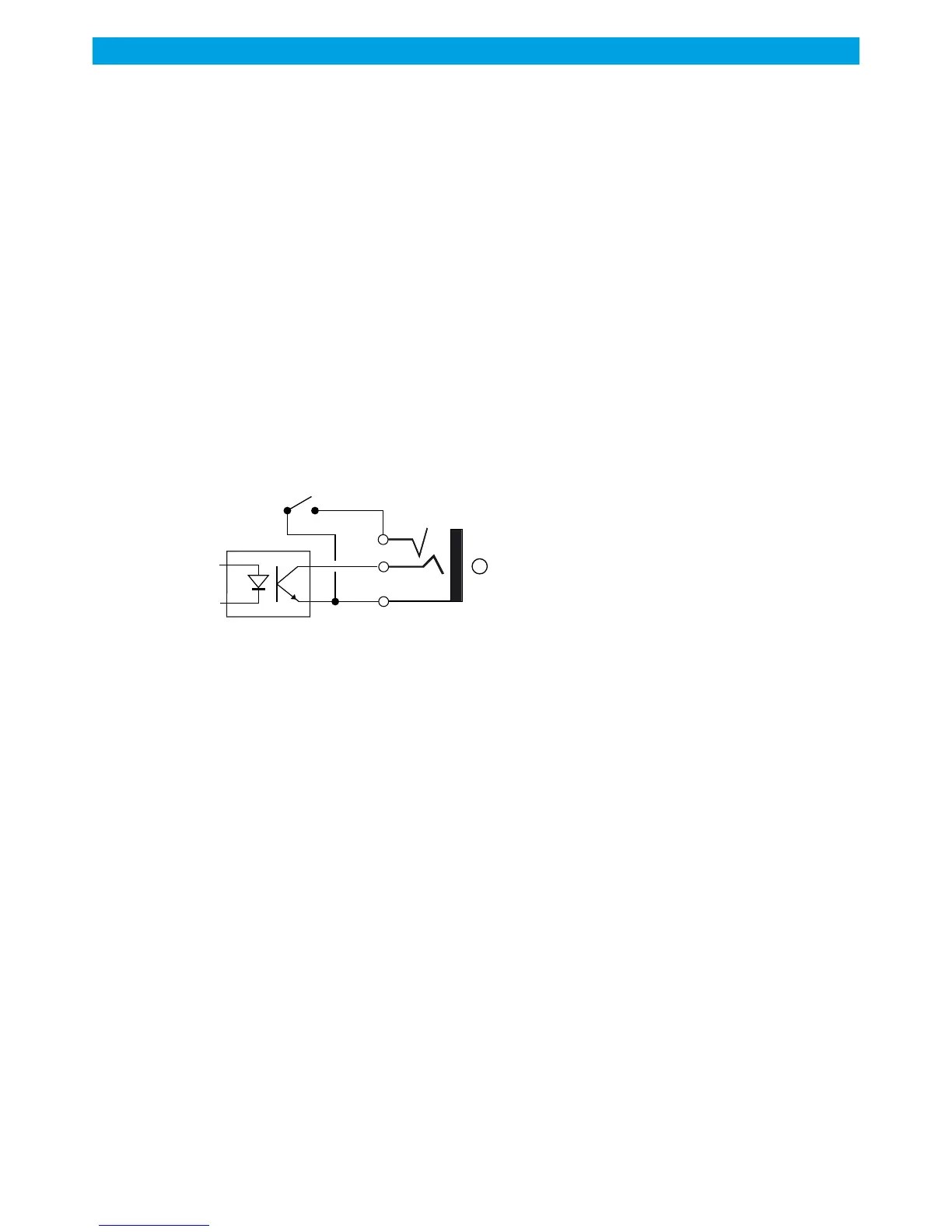
Y - Jack for external ON AIR light control.
Its works in two ways:
Studio closed: Master MIC ON close a dry contact between jack tip and body ( RED for On air in control
room)
Studio open, bridge tip and ring. ON AIR switches ON, with any of the Microphones.
Z - Dip switch to activate Control Room mute according to your layout.
Dip switch high: all microphones mute control room, in open space.
Dip switch low: only MASTER MIC mute control room.
7 mic channels
MASTER mic
1
OUTPUT MODULE - REAR PANEL next
RAmi
RP500
19



 To Next Page