1
1
1
1
1
1
2
2
2
2
2
2
3
3
3
3
3
3
4
4
4
4
4
4
on
on
on
on
on
on
midi channel 1
midi channel 2
midi channel 3
midi channel 4
midi channel 5
midi channel 6
1
1
1
1
2
2
2
2
3
3
3
3
4
4
4
4
on
on
on
on
midi channel 13
midi channel 14
midi channel 15
midi channel 16
1
1
1
1
1
1
2
2
2
2
2
2
3
3
3
3
3
3
4
4
4
4
4
4
on
on
on
on
on
on
midi channel 7
midi channel 8
midi channel 9
midi channel 10
midi channel 11
midi channel 12
MIDI CONTROLLER
RESET
CHANNEL
START
MODE
1 2 3 4
on
1 2 3 4
on
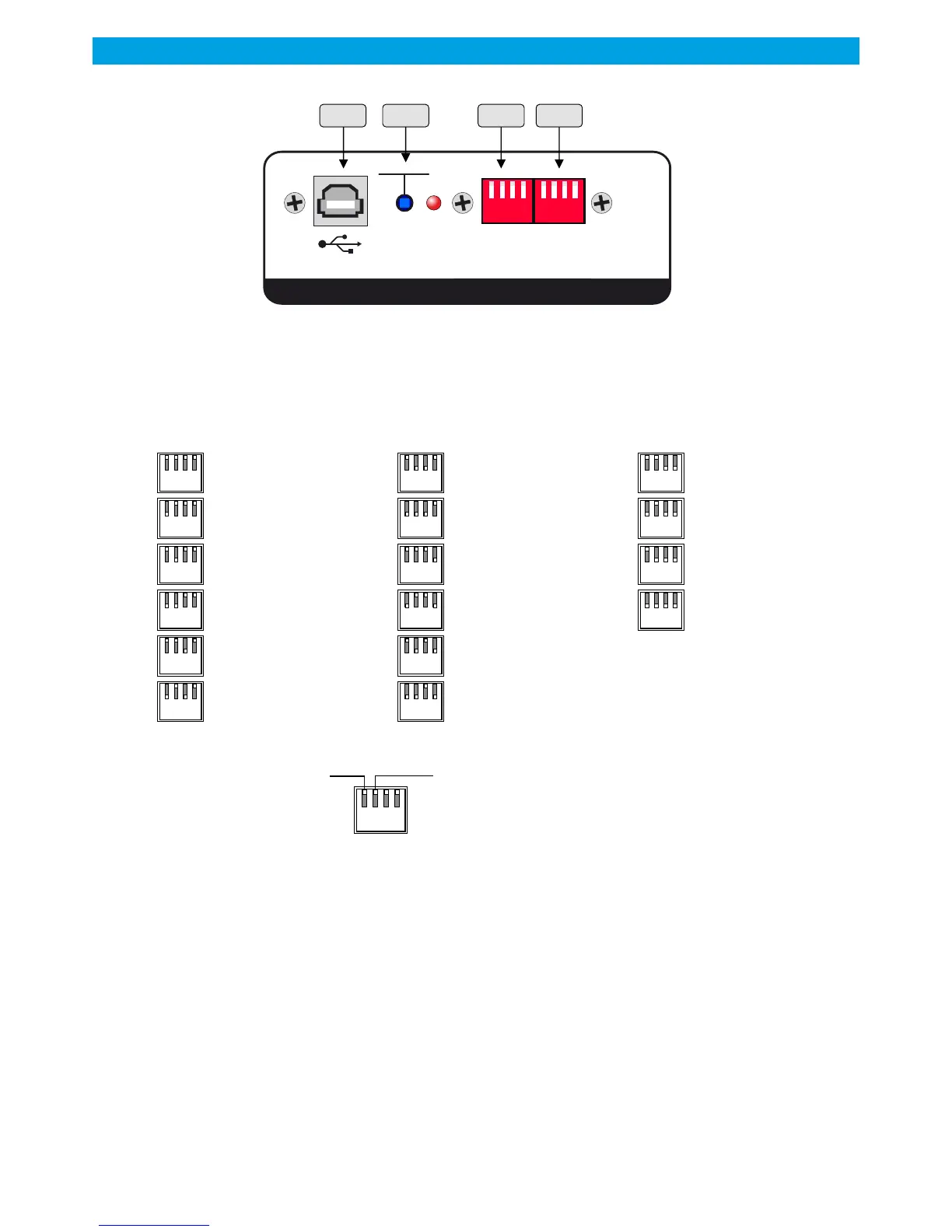
OPTION: MIDI CARD - REAR PANEL
AA AB AC AD
Midi card is an option available on RP500-3.
AA - USB socket.
AB - Reset switch, also used to enable boot loader mode, to upgrade firmware.
AC - Dip switch to change the midi channel, used to send start commands.
AD - Dip switch to change start mode in order to exactly march your automation software.
1 2 3 4
on
Hold
Send a fixed start value
Reverse value
Allows to reverse the start Midi value
First Byte:
Status or command as:
B0 for a command on the midi channel 1
to
BF for a command on the midi channel16
The selection of MIDI channels 1 to 16 is on the rear panel by
dip switch.
Second byte:
The channel number (1 to 7) Start or stop code with:
31 for channel 1
to
37 for channel 7
Third byte:
Start or stop code
255 to start
000 to stop
The two codes may be reversed by dip switch on the rear
panel.
Example:
B0 35 255
Control midi channel1, on channel 5 of the RP console and start
command
Data USB MIDI START RP500 hex code The start or stop command of the USB Midi card generates three bytes to each transition.:
RAmi
RP500
20



 To Next Page