Page 14
S1 ELECTROLS PC BOARD REPLACEMENT
S1 Electrols PC Board Replacement
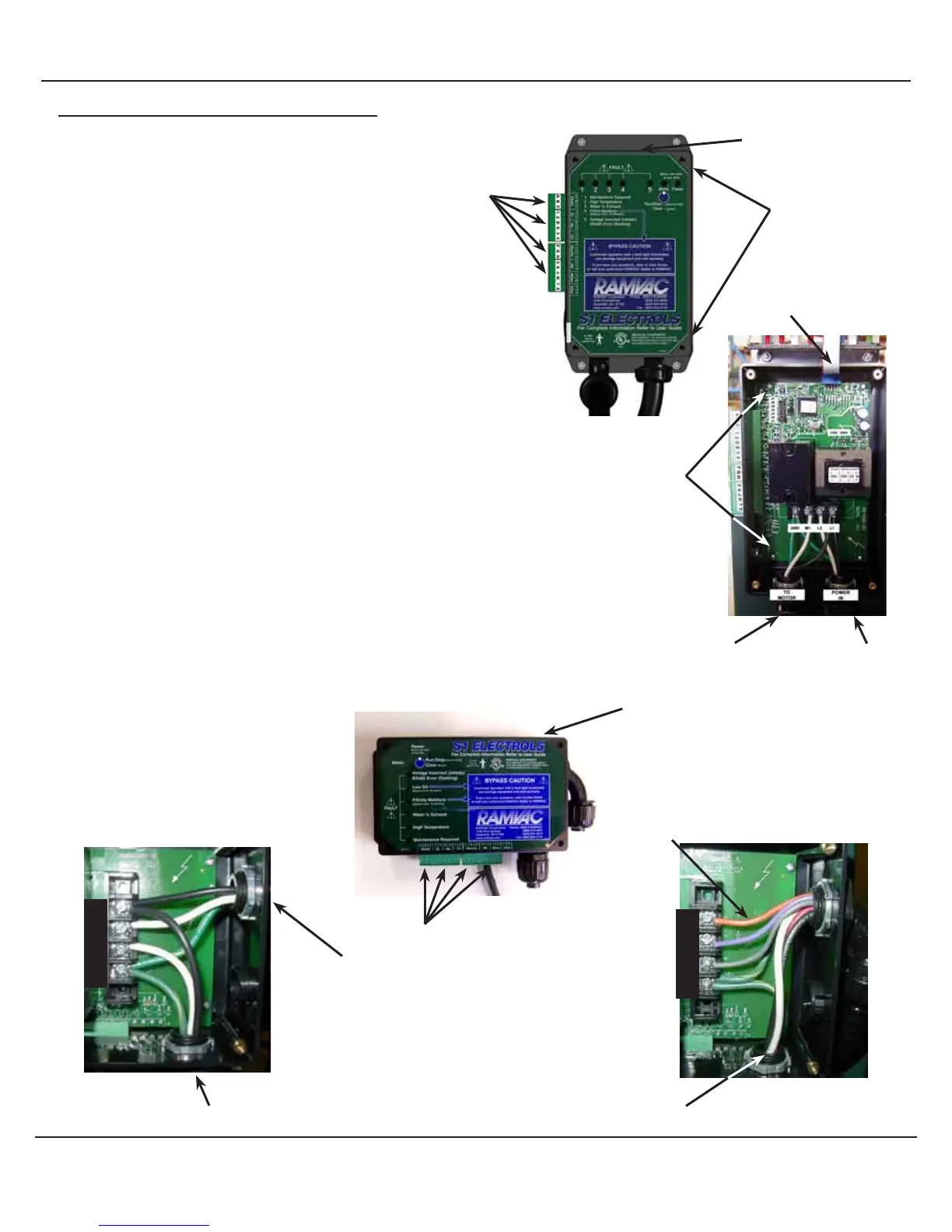
How to replace the S1 Electrols PC board on all models.
1. Secure Disconnect.
2. Remove original Electrical Specifications decal from top of S1
Electrols.
3. Apply new Electrical Specifications decal to top of S1 Electrols.
Note orientation and position of termnal plugs for re-installation
4. Remove terminal plugs attached to S1 Electrols.
5. Remove cover screws and open cover.
Note orientation of power source and motor wires for proper
connection.
6. Disconect power source and motor wires from terminal strip.
7. Remove corner screws on the pc board. Remove pc board.
8. Install replacement pc board in S1 Electrols box and secure it with
corner screws.
9. With proper orientation connect power source and motor wires to
terminal strip.
10. Install cover using screws previously removed.
11. With proper orientation, insert terminal plugs into S1 Electrols.
L1
L2
M1
GND
Bison Model S1 Electrols
Terminal plugs
Electrical Specification Label
Bulldog Model S1 Electrols
Ribbon cable
Corner screws (4)
(corner of PC board)
Power Source Wires
Motor Wires
Terminal plugs
Electrical Specification Label
3 Phase Wiring
1 Phase Wiring
L1
L2
M1
GND
Motor Wires
Power Source Wires
Motor Control Wires
Motor Wires
Remove Cover Screws (4)



 To Next Page