EasyManua.ls Logo

Randall X2 - Page 9

Randall X2
9 pages
Print Icon
To Previous Page IconTo Previous Page
Loading...
INPUT
Ch. Select
CLEAN CH.
GAIN 1
MASTER 1
GAIN 2
MASTER 2
Overdrive/Fry
Green/O.D.
Red/Fry
DENSITY BASS
-
+
Flat
EQUALIZATION
Sweep
200Hz
2K
Mid Level Mid Freq.
Treble Presence
POWER
Press 1/Clean
Press 2/O.D.
Press 3/Fry
INPUT
Ch. Select
CLEAN CH.
GAIN 1
MASTER 1
GAIN 2
MASTER 2
Overdrive/Fry
Green/O.D.
Red/Fry
DENSITY BASS
-
+
Flat
EQUALIZATION
Sweep
200Hz
2K
Mid Level Mid Freq.
Treble Presence
POWER
Press 1/Clean
Press 2/O.D.
Press 3/Fry
INPUT
Ch. Select
CLEAN CH.
GAIN 1
MASTER 1
GAIN 2
MASTER 2
Overdrive/Fry
Green/O.D.
Red/Fry
DENSITY BASS
-
+
Flat
EQUALIZATION
Sweep
200Hz
2K
Mid Level Mid Freq.
Treble Presence
POWER
Press 1/Clean
Press 2/O.D.
Press 3/Fry
CHART YOUR SETTINGS.
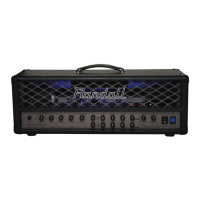
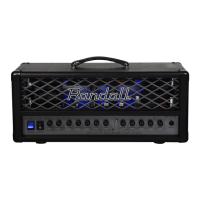
The green and yellow LED’s around each knob on the EQ section represent the
“Dime Zone” Setting each knob to a yellow or green positions will achieve the tone that Dime
delivers on stage or in the studio. Although good guitar playing technique is also needed.

Related product manuals