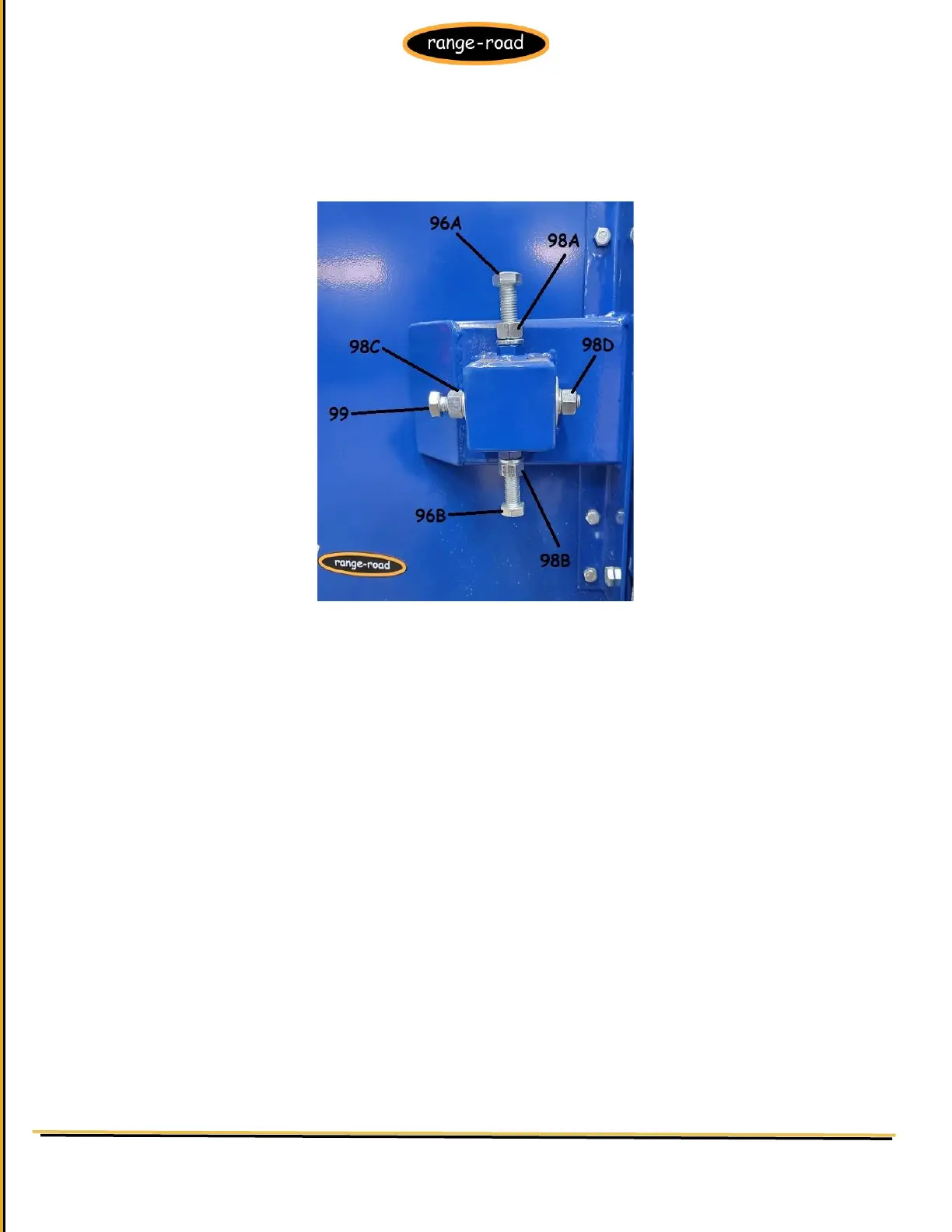
Figure P: Adjustment Bolts
NOTE: Adjust Blade again after replacement. Refer to Figure P for the following instructions: BEFORE any
adjustment, loosen Bolts 96A and 96B and Nuts 98A and 98B.
If after replacement Blade starts to shift back towards operator, loosen Nut 98C and hold Bolt 99 with a
wrench. Then tighten Nut 98C after adjustment.
Continue making small adjustments until the Blade stays centered. AFTER any adjustment, tighten Bolts 96A
and 96B and nuts 98A and 98B.


 To Next Page