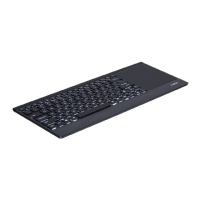
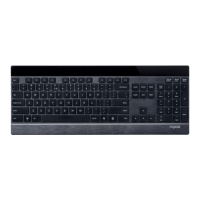
When the voltage is lower than 3.2V, the red indicator light flashes, indicating the need for charging 3.2V
Charging indicator
When XK200 is charging, red LED is on. When it is fully charged, red LED is off
(Pb) (Hg) (Cd) Cr(VI) (PBB) (PBDE)
Cable
PWAs
Plastic parts
Metal parts
Rubber parts
WARRANTY
The device is provided with one-year limited hardware warranty from the purchase day. Please see www.rapoo.com
for more information. 1www.rapoo.com XXXSBQPPDPN 1www.rapoo.com
Safety instructions
Do not open or repair this device. Do not use the device in a damp environment. Clean the device with a dry cloth.
Troubleshooting
See www.rapoo.com for latest FAQs, drivers and quick start guide.For more services and help, please register on
www.rapoo.com. www.rapoo.com,www.rapoo.com XXXSBQPPDPN'”2
XXXSBQPPDPN www.rapoo.comwww.rapoo.com
Copyright / / /
It is forbidden to reproduce any part of this quick start guide without the permission of Shenzhen Rapoo Technology
Co., Ltd. 4IFO[IFO3BQPP5FDIOPMPHZ$P
File Downloads
rapoo Instructions
rapoo, Bluetooth Keyboard, XK200, SF version
Download [optimized]
Download
References
Rapoo--Wireless Your Life
Rapoo--Wireless Your Life
Windows® Trademark
8JOEPXT® Trademark
Related Manuals
1. rapoo Multi-mode Wireless Ultra-slim Keyboard Instructions rapoo Multi-mode Wireless Ultra-slim Keyboard
Features Multi-mode wireless connection Instant...
2. rapoo Wireless Optical Mouse Instructions rapoo Wireless Optical Mouse Instructions More information at www.rapoo.com



 To Next Page