3
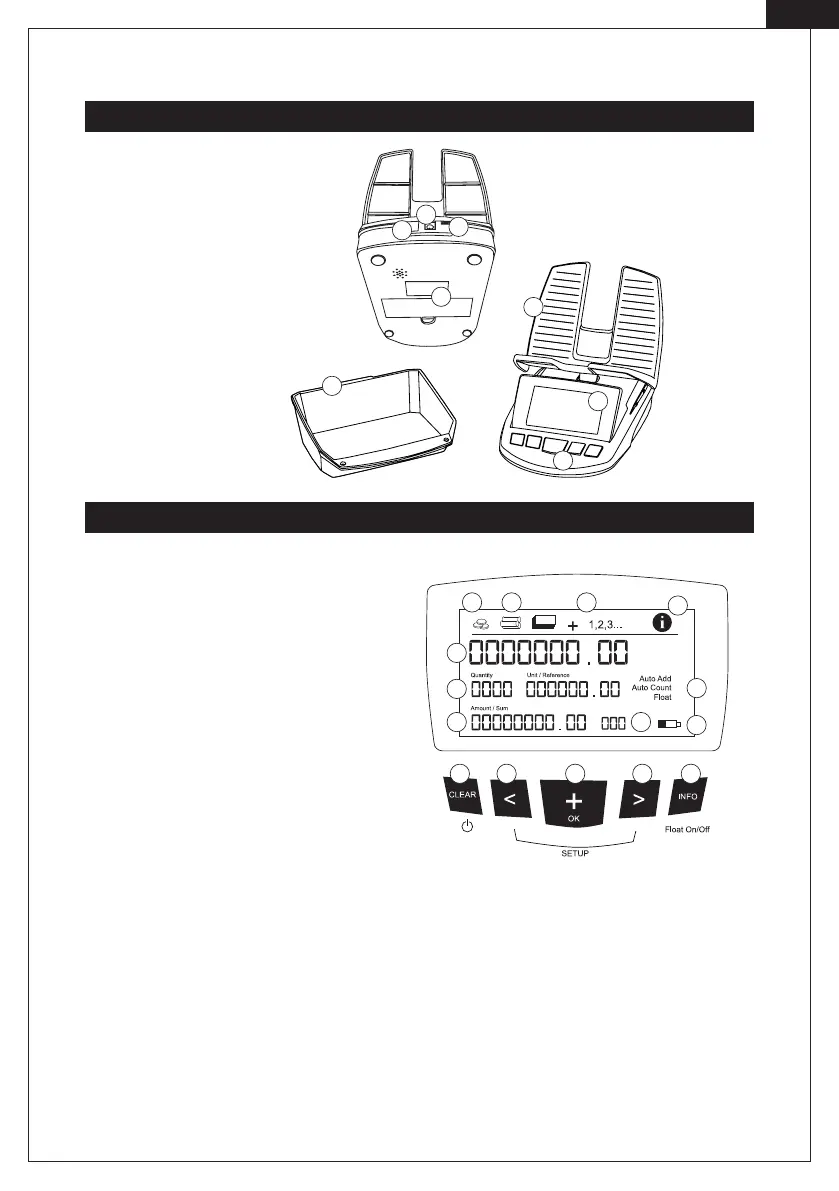
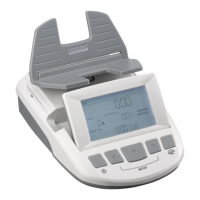
Front and Rear View
Display and Keypad
. Power input
. Printer port (RTP report
printer sold separately)
. Battery Compartment
. Coin cup
. Keypad
. Display
. Weighing platform
. Update port
[ EN]
. LC display
. Pictogram for coins, coin rolls and paper
currency
. Pictogram + (addition to total amount) and
, , (reference weighing)
. Pictogram information overview
. Active and inactive functions
. Battery status
. Sum of all items currently being counted
. Quantity of all items currently being counted
. Total sum of all items being counted
. Currency
a. Switches the money scale ON/OFF; quits the SETUP menu; resets all or single counting results to zero
b. Selects the coin, coin roll and currency denomination to weigh, selects the menu item; switches the scale
functions ON/OFF; start the SETUP menu in combinationwith d.
c. Adds the current total to the total amount; conrms a menu input; print a receipt with connected printer.
d. Selects the coin, coin roll and banknote denomination to weigh; selects the menu item switches the scale
functions ON/OFF; start of the SETUP menu in combination with b.
e. Changes from information display to counting display; activates the special functions Reference Weighing,
and Float.
.
.
.
.
.
.
.
.
.
a c e
b
d
.
.
.
.
.
.
.
. .


 To Next Page