4
Getting Started
Counting A Cash Drawer
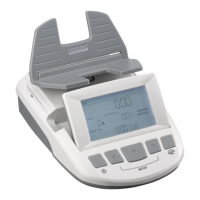
. Place the machine on a flat and stable surface
. Tilt display to desired angle
. Connect the weighing platform
. Connect the power supply to the machine, and then an outlet
. Hold the Clear button for two seconds to turn the unit on
. Language: use < and > to scroll through the language options, press OK to select
. Calibration: place the g reference weight on the weighing platform, press OK
. The unit will turn itself o after initial calibration
. Hold the Clear button for two seconds to turn the unit on
. The unit will perform a short self-test before displaying the default count screen
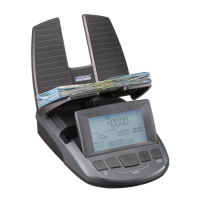
Before powering on the RS , make sure that nothing is on the weighing platform. Hold the CLEAR button
for two seconds to turn the unit on.
The RS will perform a short self-test before displaying the default count screen and standard counting
mode is activated. The counting process always starts with the lowest denomination of the selected currency.
The value of the denomination being weighed appears in the Unit/Reference eld. Weigh only the denomination
that appears on the display.
In the case of US currency, the rst denomination counted is pennies. Place the empty coin cup on the weighing
platform, then place your loose pennies directly into the cup.
Once the RS registers the count and value of the pennies, remove the coin cup from the weighing platform
and empty it. The scale will automatically advance to the next denomination.
Repeat the process until all coin denominations have been counted.
After the last coin denomination has been counted, the RS will start with the lowest denomination bill. In
the case of US currency, the bill. Remove the coin cup from the weighing platform before counting any bills.
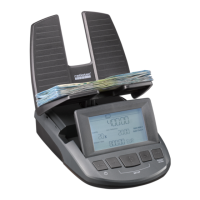
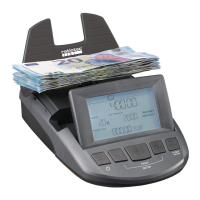
Place your bills directly on to the platform, in small batches of no more than to bills at a time.
If you place too many bills on the scale at once, the message OVERLOAD REMOVE SOME BILLS will appear.
Remove some bills from the weighing platform until the error disappears. You don’t need to remove all the bills,
just enough to correct the error. The RS can weigh up to bills per denomination.
Once the count and value of the bills have been registered, remove the entire stack of bills from the weighing
platform. The RS will automatically move to the next denomination.
Repeat the process until all bill denominations have been counted.
[EN]


 To Next Page