5
Setup Menu and Features
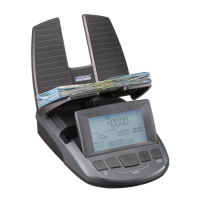
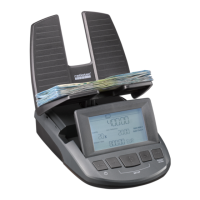
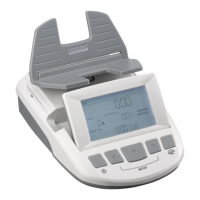
The total value of the counted coins and bills will be displayed in the Amount/Sum area of the display. To see a
display of the quantity and total of each denomination counted, press < or > to scroll through the counting informa-
tion.
Your counting results can be printed with the optional RTP report printer. With the printer attached and
powered on, press and hold the + button on the RS until the word PRINTING appears on the display.
To clear your counting results and start a new count, press the CLEAR button. Counting results can not be
retrieved once they have been cleared.
NOTE: The RS does not count . coins, coins, or bills.
NOTE: If your till or register has removable coin cups, you can place the lled cups directly on the scale for coun-
ting. A prior calibration of the cups is required before using your own cups. See the Setup Menu section below.
NOTE: Coin rolls can be added to the counting sequence by activating this feature in the Setup Menu.
The RS ’s many options and features can be accessed via the Setup Menu. Enter the Setup Menu by pres-
sing and holding down the < and > keys simultaneously, until the RS beeps. Scroll through the options
with the < and > keys and interact with the selected option by pressing the OK button. To exit the Setup Menu,
press and hold the CLEAR key for two seconds.
COIN ROLL: The RS can count rolls of coins when the COIN ROLL function is activated. The default setting
for COIN ROLL is OFF. To change the COIN ROLL setting, press OK when COIN ROLL is shown in the Setup
Menu. Press < or > to choose OFF or ON. Press OK to conrm your choice.
When the COIN ROLL function is activated, the coin roll symbol will show on the display after all denominations
of loose coins are counted. Remove the coin cup and begin placing coin rolls on the weighing platform, one roll
at a time. Wait for the scale to register each roll and emit an audible beep before placing the next roll on the
scale.
When you’re done counting coin rolls, remove them all from the scale in one movement. Removing the rolls one
at a time will create an error and force you to count the rolls again.
The RS is designed to count coins packaged in standard coin wraps. If a roll has too many or too few
coins, is not packaged in a standard coin wrap, or has tape or any other debris attached to it, the message
SUSPECT CHECK ROLL will appear on the screen. Remove the non-conforming roll and correct the error.
Only penny, nickel, dime, and quarter rolls are supported.
[ EN]


 To Next Page