11
1. Download and install on your tablet / computer with Windows 7/10the current version of
RATManager 2 (www.ratmon.com -> Download -> RATManager 2).
2. Connect the RAT device to the power supply.
3. Connect the RAT device to the computer using dedicated USB cable.
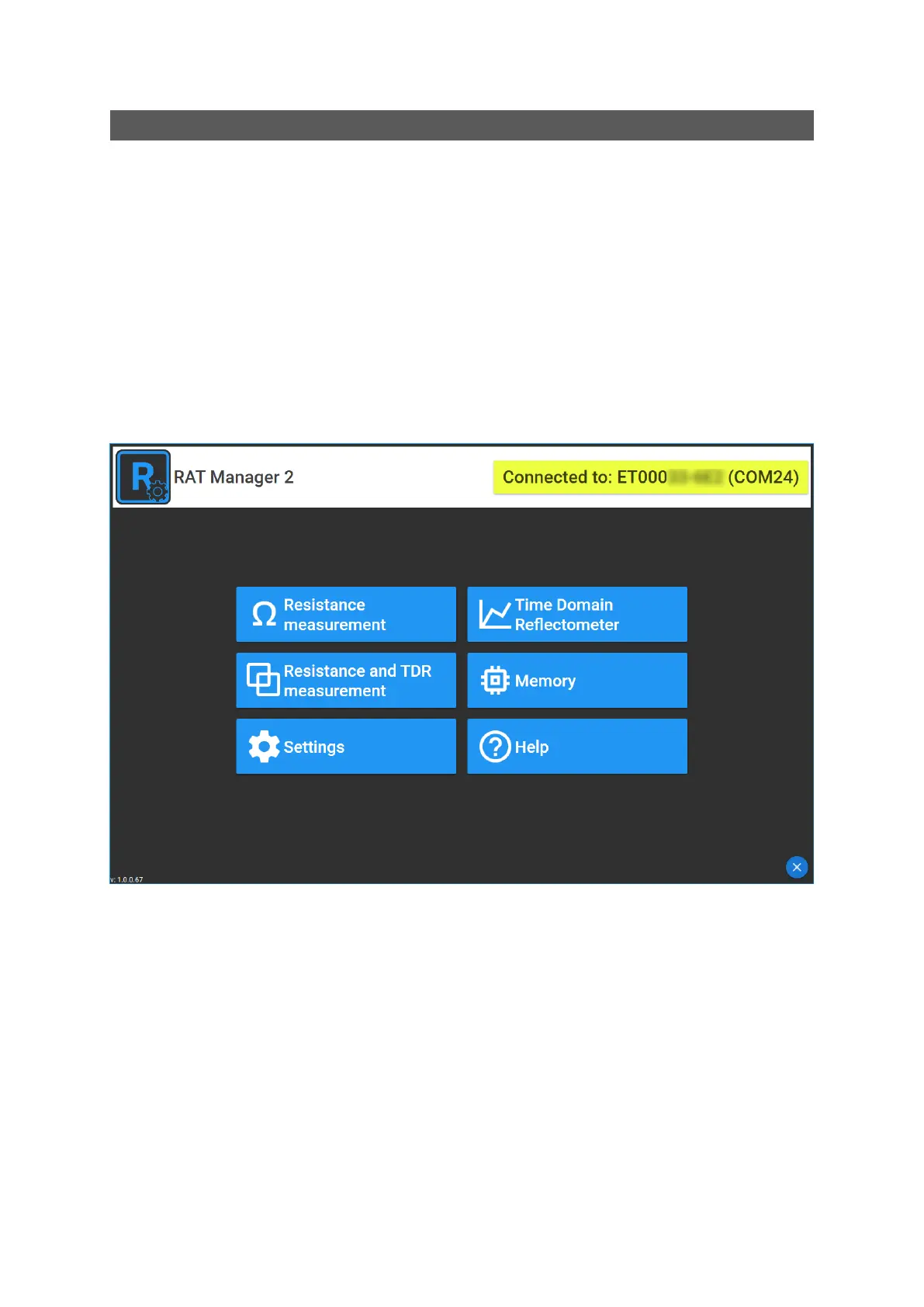
4. The connection of the device with the computer will be notified in the upper right corner of the
RAT Manager software with the information: Connected to device (serial number).
CONFIGURATION OF DEVICE TO WORK WITH RATMON SYSTEM


 To Next Page