Display Setting
* Select the setting via "+" / "-" and press "i" to enter the corre-
sponding setup or confirm setting.
1. Turn On/Off The Display
2. Display Interface
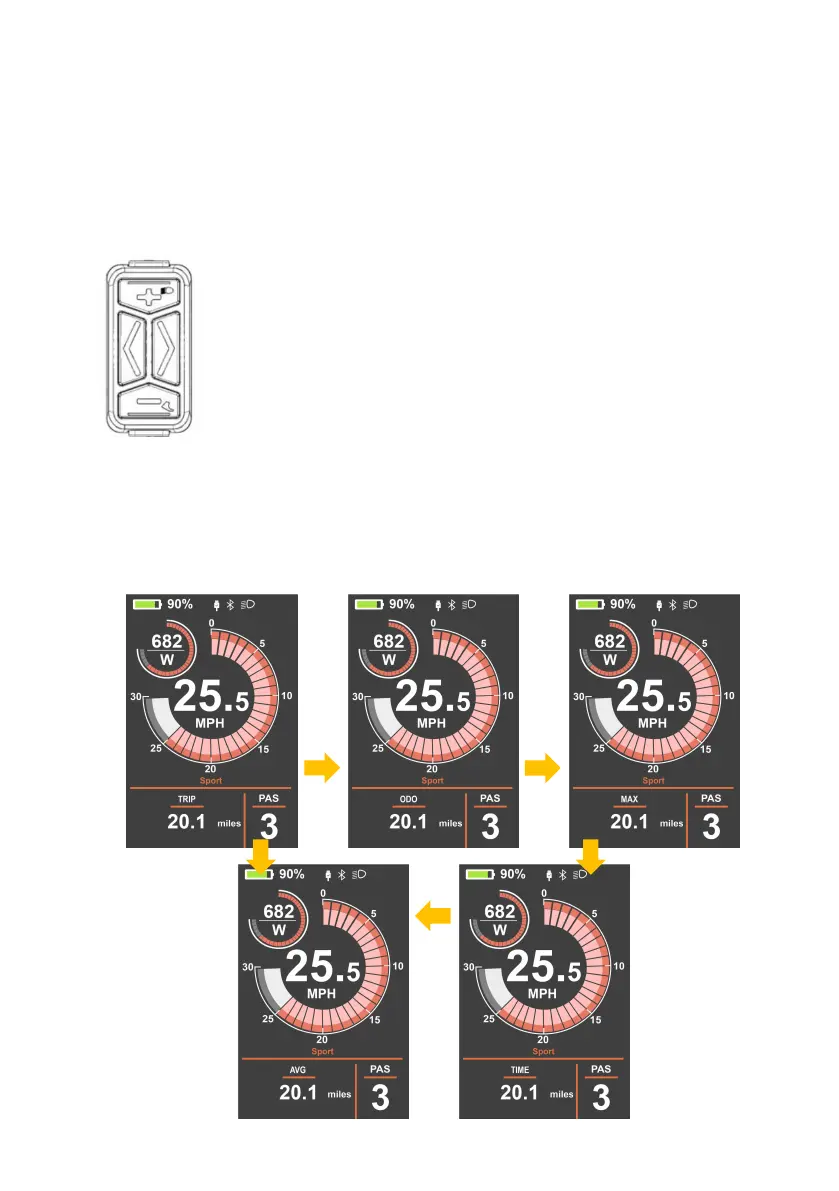
Turn on the display, the display will show speed and Trip (Km) by
default, short press the "i" to switch ODO (Km), Max (Km/h), Avg
(Km/h) Time (Min).
Press the power button for 2~4s, turn on the display and
power system connection.
Press the power button for 2~4s, turn off the display
and the power system connection is disconnected.
* The display will be off when there are over 5 minutes
not in use.



 To Next Page