Use and maintenance manual Aria
Pag.31
Rev.0 22/04/2022
EN
CONTROLS AND USE
Control panel description
The stove is controlled by an electronic card that allows fully automatic and controlled combustion. It allows to regulate the ignition
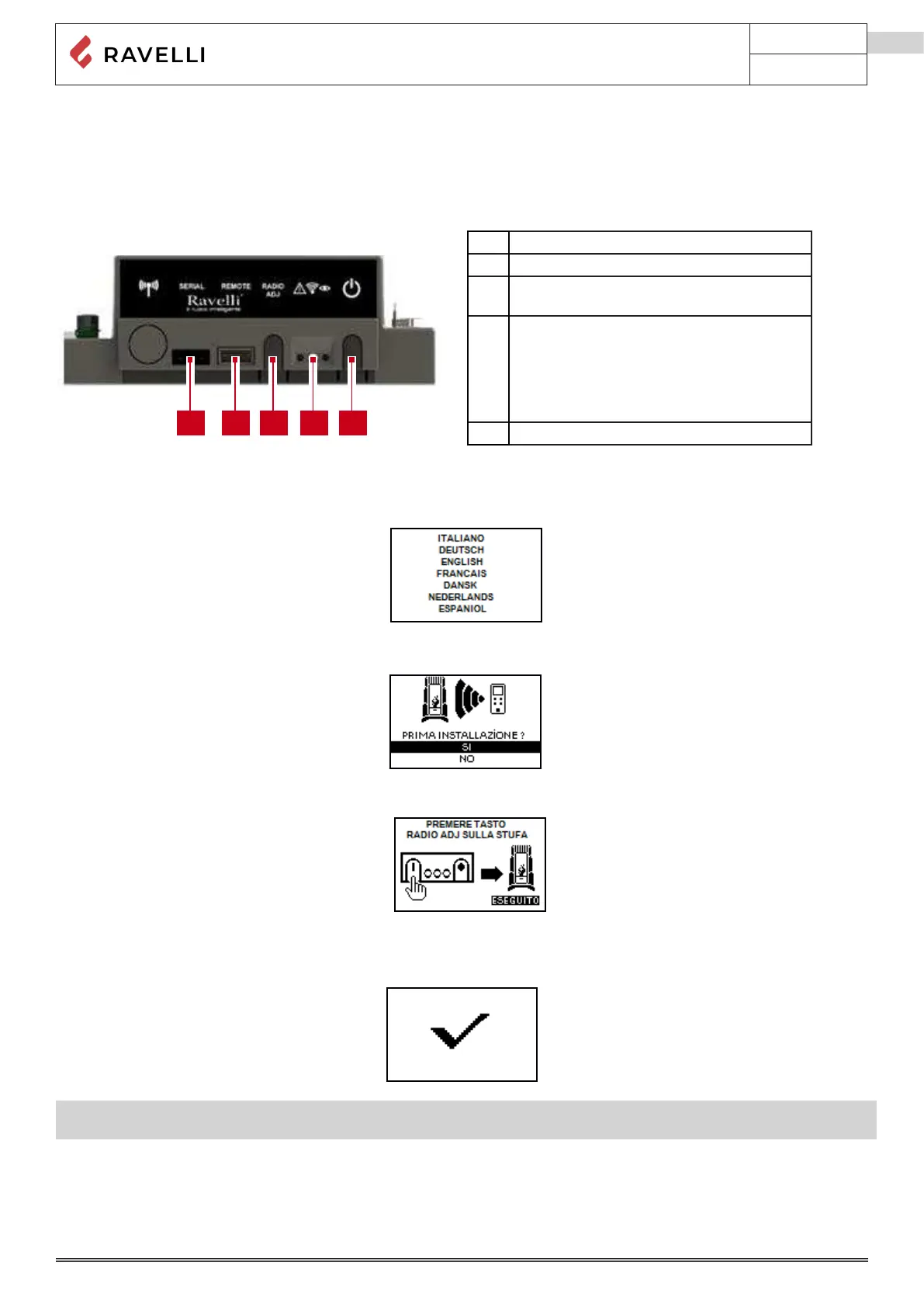
phase, the power levels and the shutdown phase, guaranteeing safe operation. On the back of the stove there is a control panel that
allows you to synchronise the electronic discharge with the remote control and turn the stove on/off.
A Serial socket
B Remote control cable connection socket
C ADJ Radio: button to connect the remote
control to the card
D Signaling Led
Red: active allergy
Yellow: Awaiting communication with the
remote control
Green: Stove on
E Stove on/o button
Radio touch remote control initialization
The remote control, after a rst short screen showing the Ravelli logo, will list the languages available in the menu.
Select the desired language with the scroll buttons and conrm your selection with the conrmation button.
In order to operate correctly, the remote control should be interfaced with the electronic board installed inside the stove. For this
reason, on display appears the following message:
If the remote control is used for the rst time, select YES using the selection keys and conrm with the dedicated key. On the display
of the remote control appears the following:
The ashing yellow LED indicates that the circuit board is waiting to receive the signal from the remote control.
By pressing the enter key on the remote control, the components start communicating with each other. A check sign on the display,
accompanied by a sound signal, shows that the initialization of the remote control has been completed successfully.
📌In case of battery replacement, it is not necessary to perform the initialization procedure of the remote control. In this case,
when the display will show the message “FIRST INSTALLATION ?”, select NO and press the dial key.



 To Next Page