EasyManua.ls Logo

Raymarine 60 STV User Manual

Raymarine 60 STV
78 pages
To Next Page IconTo Next Page
Page #1 background imageLoading...
Page #1 background image
Raymarine Satellite
TV Systems
User’s Guide
Document Number: 81258_3
Date: October 2006

Table of Contents

Questions and Answers:

Raymarine 60 STV Specifications

General IconGeneral
BrandRaymarine
Model60 STV
CategorySatellite TV System
LanguageEnglish

Summary

Safety notices

Product installation

Critical installation instructions to prevent poor performance, injury, or damage.

Connectors

Handle connectors carefully to prevent damage. Do not use for lifting.

In-line fuse

Fit a 5A fuse if no breaker is present in the power circuit.

Antenna unit cover

Use the base plate when lifting the antenna unit to prevent damage.

Antenna coating

Exterior finishes may degrade performance.

Important information

Introduction

Handbook explains installation, connection, and maintenance of the satellite TV system.

Geographic location

System is programmed for specific regions; location changes may require LNB changes.

Television reception

EMC conformance

Equipment designed to industry standards; correct installation ensures performance.

Declaration of conformity

Product conforms to EU Directive 89/336/EC.

Waste Electrical and Electronic Equipment Directive

Supports WEEE policy for recycling; user awareness requested.

Restriction of the use of certain Hazardous Substances

European models comply with RoHS Directive 2002/95/EC.

Warranty

Register product for full warranty benefits.

Handbook information

Handbook information correct at press; specifications may change without notice.

What does a typical system look like?

How do I plan the installation?

Cables

Consider clamping, protection, and avoiding acute bends for cables.

Power requirements

System requires 12V DC; 24V DC needs an inverter. AC power supply also needed.

Installation

EMC installation guidelines

Guidelines for optimum EMC performance in a marine environment.

Suppression Ferrite

Do not remove suppression ferrites; reassemble in the same position if removed.

Connections to other equipment

Attach a suppression ferrite near the Raymarine unit for non-Raymarine cables.

What's in the box?

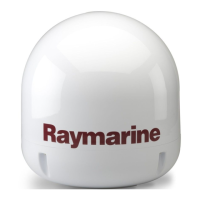
Raymarine STV Antenna Unit

Houses antenna mechanism, LNB, power, and control elements in a radome.

Antenna Control Unit (ACU)

Controls antenna power, programming, and diagnostics.

Installation kit

Contains items for securing antenna unit and ACU to the boat.

System cables

Includes power, data, and RF cables for system connections.

CD-ROM

Contains software for system programming and diagnostics.

What tools do I need to install my TV system?

How do I plan the installation?

Clear view of sky

Ensure antenna has an unobstructed view of the sky for optimal signal reception.

Cables

Clamp and protect cables from damage and heat; avoid sharp bends.

Power requirements

System operates on 12V DC; 24V DC requires an inverter. AC power for IRD/TV also needed.

Extending the cables

Power and data cable

Standard cable length is 15m; replacement available up to 30m.

Power cable

Standard cable length is 10m.

RF cable

Standard cable length is 15m; extension available up to 45m total.

How do I install the ACU?

ACU dimensions

Provides detailed dimensions for the Antenna Control Unit.

Installing the ACU

To install the ACU

Step-by-step guide for mounting and connecting the ACU below decks.

How do I install the antenna?

Preparing the antenna

Steps for removing the dome and transit restraints.

Preparing the mount

Instructions for using a template to drill mounting holes.

Securing the antenna

How to securely attach the antenna to the base using bolts and washers.

How do I connect the system cables?

Connecting the antenna

Instructions for connecting the power/data and RF cables to the antenna.

Antenna baseplate

Describes 2 RF and 4 RF port baseplate types and their uses.

Raymarine 45STV system

Specifies 2 RF port connectors for the 45STV system.

Raymarine 60STV system

Specifies 4 RF port connectors for the 60STV system.

Regions with circular polarization

Lists regions using circular polarization (e.g., North America).

Regions with linear polarization

Lists regions using linear polarization (e.g., Europe, Middle East).

Connecting the ACU

In-line fuse

Safety note regarding fitting an in-line fuse for power protection.

To connect the antenna control unit

Steps to connect power, data, and RF cables to the ACU.

How do I configure the system?

Systems with 2RF connector baseplate

Shows configurations for single and multiple IRDs with 2 RF ports.

Single IRD

Basic connection method for a single Integrated Receiver Decoder.

Twin IRDs

As in the single IRD option

RF cables connect to LNB/ANT/Satellite In on the IRD.

Multiple IRDs

North American systems and South America (DirecTV)

Requires a multi-switch for connecting three or four IRDs.

To connect three or four IRDs

Steps for connecting IRDs using a multi-switch.

North American systems - DirecTV

To connect a multi-switch and DiSEqC Supplier

Detailed steps for connecting a multi-switch and DiSEqC supplier.

Europe, Australia, New Zealand, China, Middle East, South America (Sky)

To connect three or four IRDs

Instructions for connecting multiple IRDs using a universal LNB multiswitch.

System with 4 RF connector baseplate

Single IRD

Basic connection method using a 4 RF port baseplate.

Twin IRDs

Connecting two IRDs to a 4 RF port baseplate.

Multiple IRDs

Systems using up to 4 IRDS

Connect up to 4 IRDs directly to the 4 RF outputs.

Systems using more than 4 IRDs

Requires an active multi-switch for connecting more than 4 IRDs.

Connecting your satellite TV system to an NMEA0183 GPS

To connect your satellite TV system to an NMEA0183 GPS

Steps to connect the system to a boat's NMEA 0183 GPS for tracking accuracy.

System set up

Introduction

Overview of setting up the Raymarine Satellite TV system via ACU or GUI.

Set up using the ACU

Guides users through the setup process using the Antenna Control Unit.

Start up

Describes the sequence of screens shown during system start-up.

Changing the default satellite

Monitoring the current status of the antenna

Explains how to check the antenna's current operational status and signal.

Set up mode

To enter set up mode

Steps to access the system's setup menu via the ACU.

Setting the satellite pair

Setting the satellite pair - DirecTV

Setting the GPS using the ACU

Edit satellite information

Setting the LNB skew angle

Display version

Setting antenna go position

Setting antenna angle, move step and diagnosis.

Moving the antenna to a new position

Explains methods for positioning the antenna.

To position using an absolute angle

How to move the antenna to a specific azimuth and elevation.

To position using a relative angle

How to move the antenna by a specified increment.

Antenna diagnosis

Function to automatically test system operation and status.

To carry out antenna diagnosis

Steps to initiate the antenna diagnosis function.

Setting defaults

Set up using the Graphical User Interface

To operate the GUI

Steps to connect and launch the Graphical User Interface software.

GUI main menu

Overview of the main menu structure and areas.

Controller menu

Explains how to navigate and select functions within the GUI.

Antenna status

Target satellite selection and monitoring

Satellite pair

Local frequency and signal strength

Serial port set up

To set up the serial port

How to establish communication between ACU and PC via serial port.

The GUI control soft keys

Restart

Setup

Get Antenna Information

Advanced Control

View Data

Update Antenna

Setting the GPS

Method 1- Your actual position

Inputting the boat's current GPS coordinates into the antenna memory.

Method 2 - Selecting the nearest city.

Using city coordinates if exact position entry is not possible.

Editing the satellite information

Setting antenna angle, move step and diagnosis.

Moving the antenna to a new position

Explains methods for positioning the antenna.

To position using an absolute angle

How to move the antenna to a specific azimuth and elevation.

To position using a relative angle

How to move the antenna by a specified increment.

Antenna diagnosis

Function to automatically test system operation and status.

To carry out antenna diagnosis

Steps to initiate the antenna diagnosis function.

Setting the skew angle

Maintenance and troubleshooting

Introduction

Section covers user-maintainable maintenance and troubleshooting procedures.

Maintenance

Routine checks to ensure peak system performance, including cable and exterior care.

Troubleshooting

Table to identify common symptoms, causes, and remedies for faults.

Blown fuse, low power or wiring

Satellite signal blocked

Checks for obstructions or interference affecting satellite signal reception.

Outside satellite coverage zone

Verifies if the location is within the antenna's coverage area.

Radar interference

Addresses potential interference from radar units.

Incorrect or loose RF or power/data connectors

Ensures all connectors are secure for optimal signal quality.

Multi-switch interference

Checks for correct multi-switch type (active vs. passive).

IRD troubleshooting

Tips for resolving issues related to the Integrated Receiver Decoder.

LNB fault

Guidance for diagnosing and resolving LNB faults.

Antenna diagnosis

Setting the skew angle

Satellite information

Introduction

Information on satellites, coverage areas, and tracking.

Satellite coverage areas

Maps showing satellite coverage for different regions.

Climatic conditions

Discusses how atmospheric conditions affect signal reception.

European satellites

Astra 1G/1H

Details coverage for Astra 1G/1H satellites in Europe.

Astra 2A South

Hotbird

Hotbird Widebeam

Hispasat

Thor II

Sirius

US satellites

Direct TV

Satellite coverage map for DirecTV in the USA.

Dish Network

Satellite coverage map for Dish Network in the USA.

ExpressVu

Mexico

Panamsat 9 (Sky)

Satellite coverage map for Panamsat 9 in Mexico.

Australia

Optus C1

Satellite coverage map for Optus C1 in Australia.

New Zealand

Optus B1

Satellite coverage map for Optus B1 in New Zealand.

Far East

Telstar

Satellite coverage map for Telstar in the Far East.

Agila2

Satellite coverage map for Agila2 in the Far East.

Middle East

Nilesat

Satellite coverage map for Nilesat in the Middle East.

Arabsat

Satellite coverage map for Arabsat in the Middle East.

Turksat

South America

Galaxy 3C- South America (DirecTV)

Satellite coverage map for DirecTV in South America.

Panamsat 6- South America (Sky)

Satellite coverage map for Panamsat 6 in South America.

Satellite coverage by geographic location

Europe

Table detailing European satellites and service providers.

Satellite tracking

European satellites

Provides frequency, symbol rate, FEC, and network ID for European satellites.

Satellite service providers

Turkey

Russia

Greece

United States

Satellite

Lists US satellites and their service providers.

Appendix 7: Technical specification

Raymarine 45 STV

General and performance specifications for the Raymarine 45 STV system.

Raymarine 60 STV

General and performance specifications for the Raymarine 60 STV system.

Universal Twin LNBF

Technical specifications for Universal Twin LNB Feed units.

Dual LNBF (US models)

Technical specifications for Dual LNB Feed units for US models.

QuadLNBF (EU Premium models)

Technical specifications for Quad LNB Feed units for EU Premium models.

Related product manuals