Operator Manual
5−38
3655DOC020102 Edition: 30.MAR.2007
5.3.4 View Log File
The menu item View Log File logs all update activities which have been carried
out on an DNC chart.
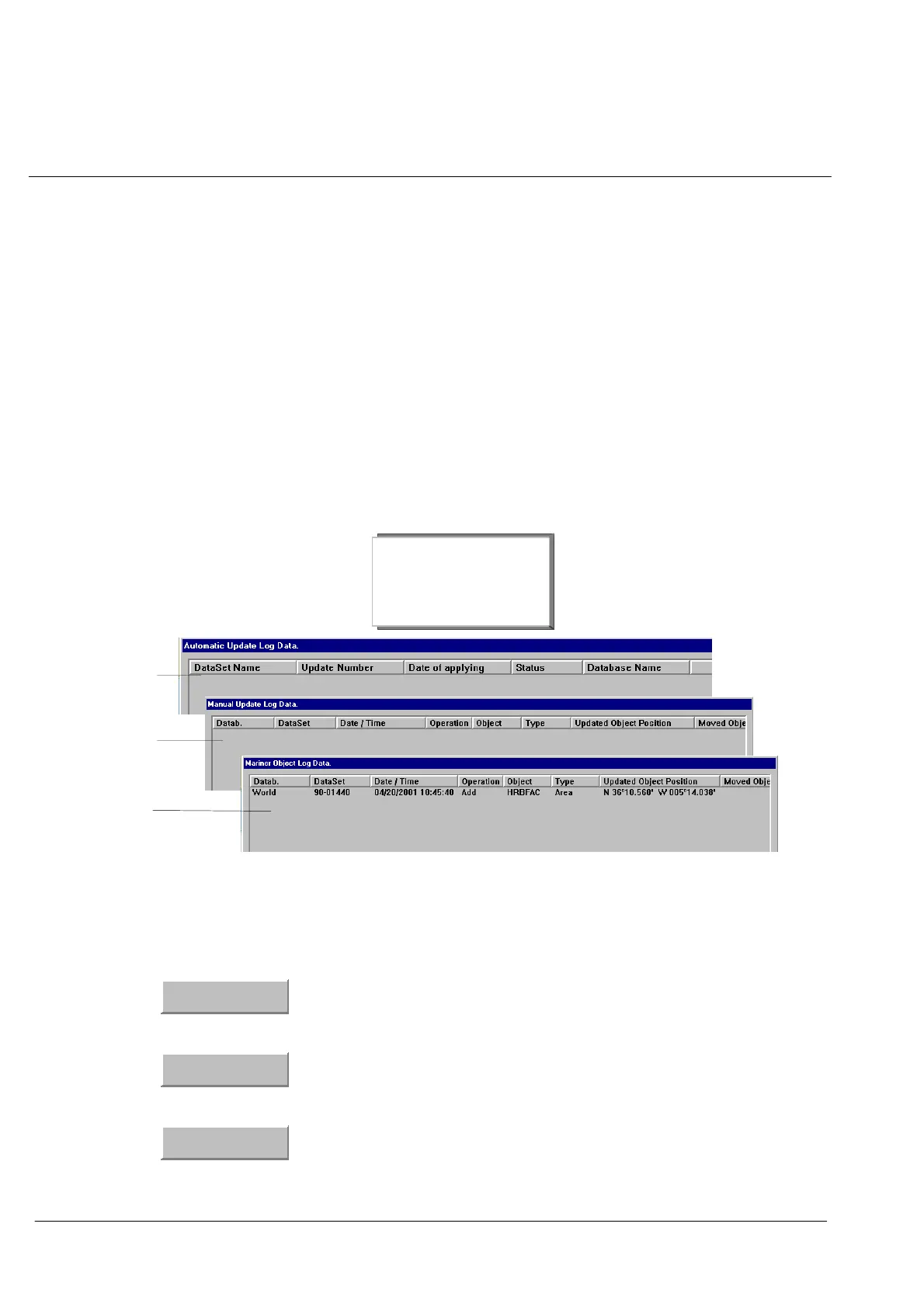
Procedure: (see Figure: 1−34)
Step 1 Select DNC Options (see Figure: 1−1).
Step 2 Select View Log File. The Dialog Box appears.
Respective Log File can be viewed directly or, if a printer is connected, be
printed.
Automatic
Updates
Manual
Updates
Marine
Objects
Automatic Update...
Manual Update...
Mariner Update...
Figure: 1−34 Legend.....
Command Buttons:
Close
Click on Close when you’ve seen enough
Print
Click on Print to print out the 12 Hour Log contents on a
connected separate printer.
Export
Click on Export, to create a file with the contents of the Log
List. For this procedure a formatted 3,5” disk must first of all
be inserted in the drive.


 To Next Page