V1.6
RayTools AG © Copy Right
11 | 11
www.raytools.net
BT210 SERIES 800W Laser Cutting Heads User Manual
Caution:As lens holder is removed, be sure to keep it vertical to prevent the lens from falling out.
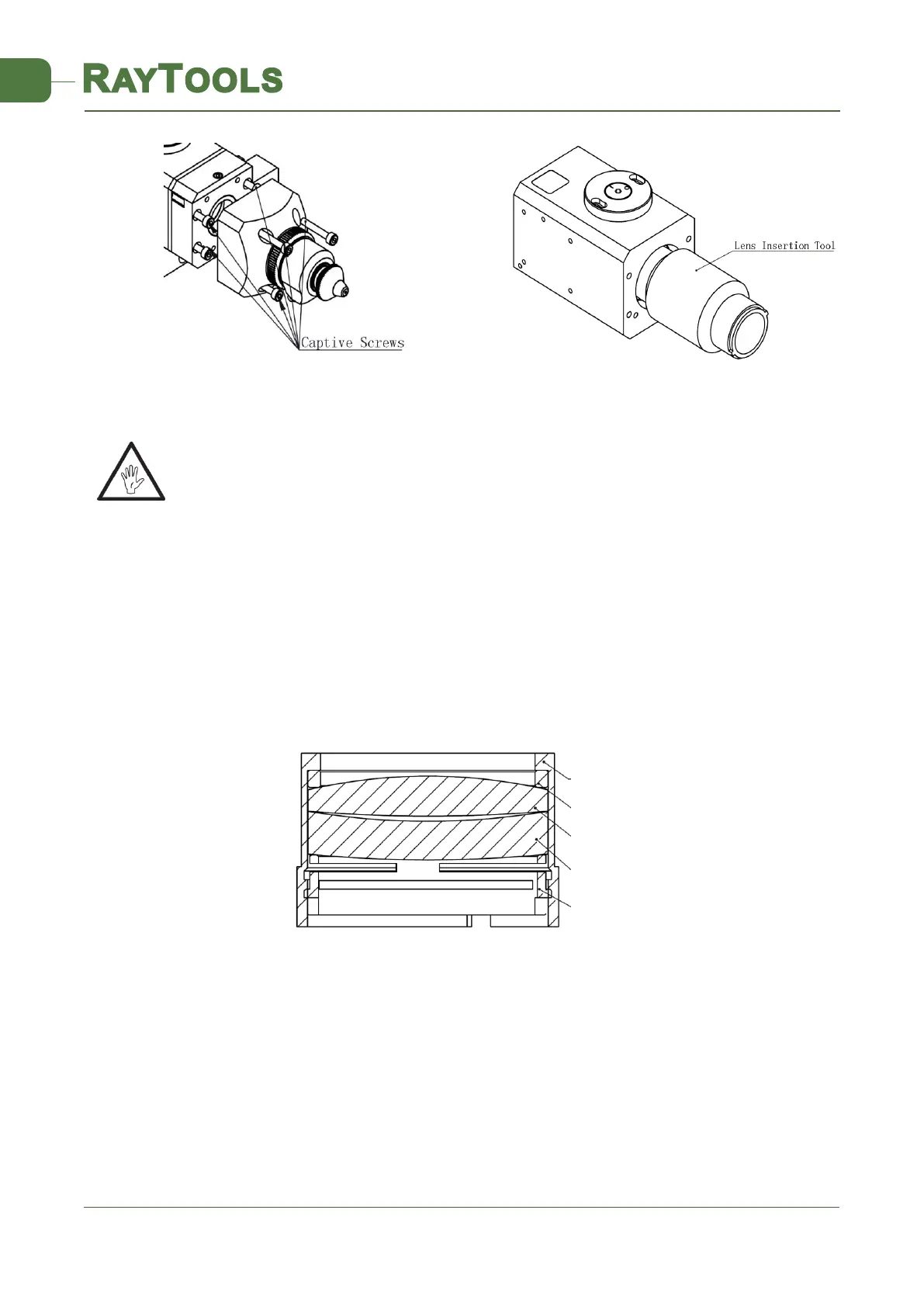
See Figure 13,take out the locking screw from the bottom to the top.
See Figure 14, using the lens insertion tool, unthread the lens holder.
Place the lens holder on a clean place. Invert the lens holder and take out the lens.
See Figure 15, put the focusing lens and the spacer rings in the lens holder carefully.
Place the lens holder onto the lens insertion tool and insert it into the focusing lens tube. Tighten the
lens holder until it is snug.
Be careful not to over tighten the lens holder as this may cause the lens to distort.
Reassemble components in reverse order.
Check the tip centering, laser focus and image and adjust as needed.
3.3 Replacing Gas Jet Tip
In the process of laser cutting, the laser head will be unavoidably stricken. In this circumstance, the Gas
Jet Tip needs to be changed.
Unscrew gas jet tip connector and remove gas jet tip connector and gas jet tip.
Insert the new gas jet tip and gas jet tip connectors on TM components.
A calibration capacitor is needed after replacement.
13(2D)Remove Module WM and
Remove The Focusing Lens
焦镜片组
Focusing Lens Holder
concave-convex len
sealing ring
2.0mmTK spacer
convex-convex lens
Figure 15. D28mm FM Lens Holder Installation Instruction



 To Previous Page