V1.6
RayTools AG © Copy Right
7 | 11
www.raytools.net
BT210 SERIES 800W Laser Cutting Heads User Manual
Once the beam is centered, double-check to ensure that the all adjuster screws are snug finger tight.
2.5.2 QBH Beam Centering
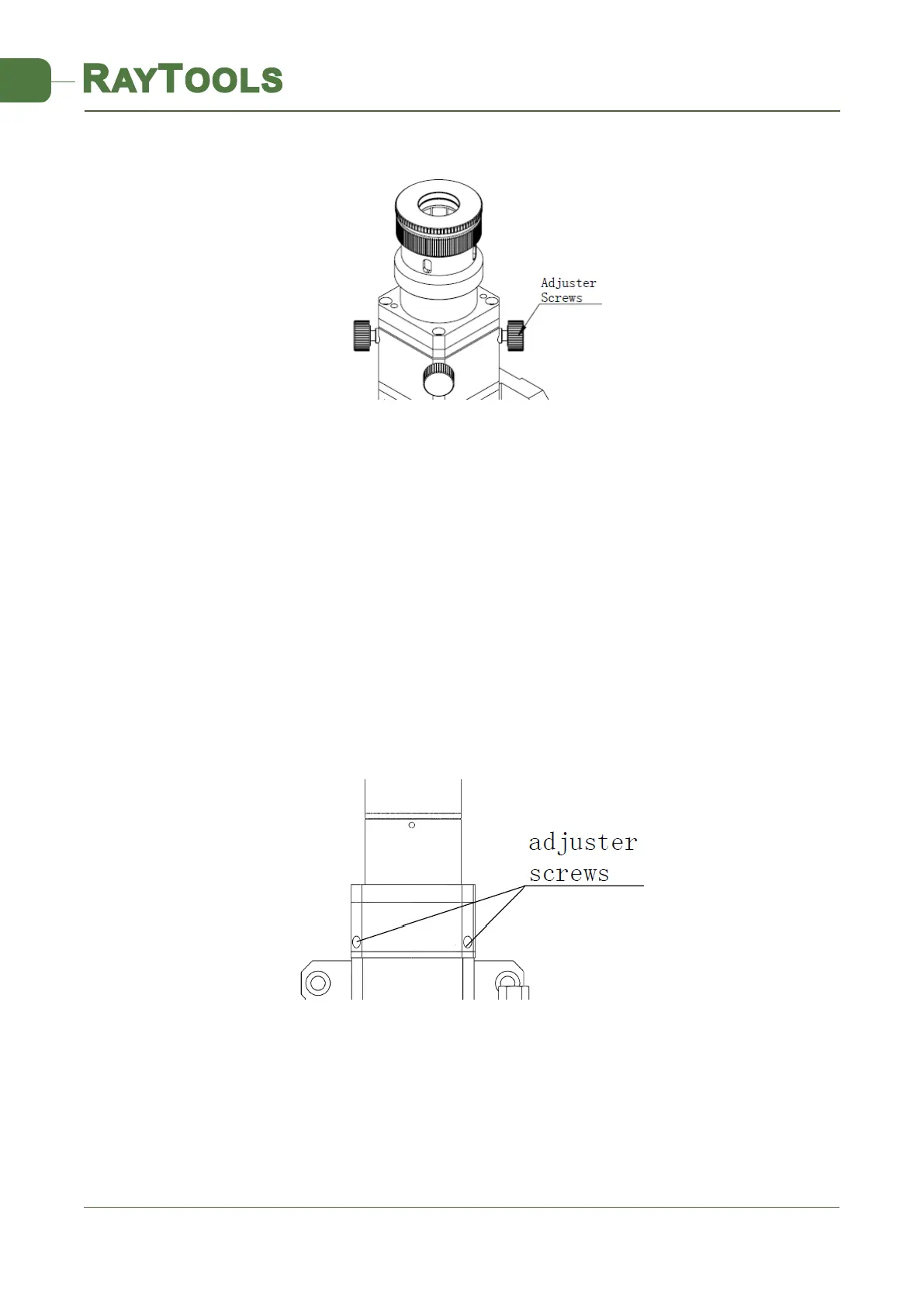
See Figure 7 for locations of adjuster screws on cutting heads. Loosen or tighten the screws with a 2.55mm hex
wrench until the beam is center in the tip.
Make sure the beam is centered in the tip. One common method is to use a piece of translucent tape
(1) Put a piece of translucent tape on the end of the Gas Jet Tip.
(2) Turn on the laser’s internal red aiming beam and observe the position of the beam on the tape relative to the
nozzle orifice. Use the adjuster screws to center the red dot on the nozzle orifice.
(3) Next power up the laser at a power setting of 80W-100W and take a shot.
(4) Tear down the tape and check whether the hole is centered in the nozzle orifice.
(5) A series of adjustments and shots may be needed until the beam is centered in the Gas Jet Tip.
This method needs a series of adjustments and is the basic operation of any laser centering.
2.6 Setting Focus Position
BT210 is equipped with a adjustable lens holder that allows you to move the laser focal point to optimize the laser
processing. The lens has a total of 14mm of movement. You should find the focal point before cutting. There are a lot of
ways to find the focal point. One of them is to paste crepe paper at the end of the tip:
Figure 6. QCS Beam
Centering
Figure 7. QBH Beam Centering



 To Next Page