V1.6
RayTools AG © Copy Right
8 | 11
www.raytools.net
BT210 SERIES 800W Laser Cutting Heads User Manual
(1) Adjust the Focus Dial Knob to the largest scale and power up the laser at a power setting of 80-100W
(2) Take a laser shot on the crepe paper each movement of less than 0.1mm (the nearer the movement is, the
better)
(3) Take shots several times. Find the smallest shot and its relevant scale is the best focus. (The focal point is just
on the nozzle orifice.)
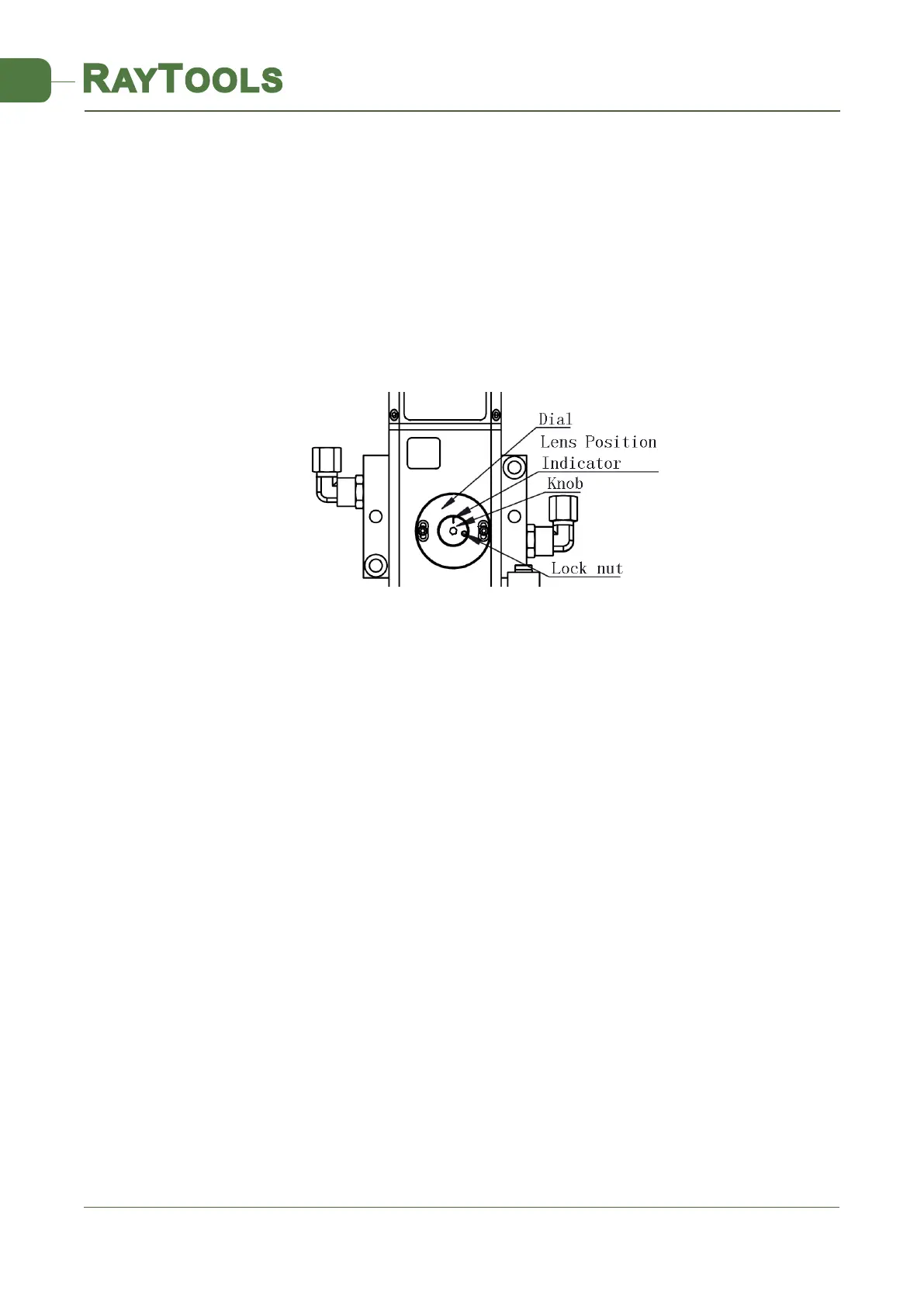
To adjust the focus position, follow this procedure:
• Uncover the lid
• Loosen the lock nut by rotating it counterclockwise
• Adjust the focal distance by changing the indicated scale with the wrench rotating knob
• Once the focus position is properly set, tighten the Lock Nut by rotating it clockwise.
Figure 8. Setting Focus Position



 To Next Page