BT240 Product Manual
V1.0 RayTools AG. Copy Right 7 | 15
www.raytools.net
Figure 4-1. Loosen the 4 clamping bolts in Figure 4-1 with a
wrench. Rotate the QBH connector. Once the fiber connector is
oriented correctly tighten the clamping bolts and the set screw.
BT240 QCS connector input manual
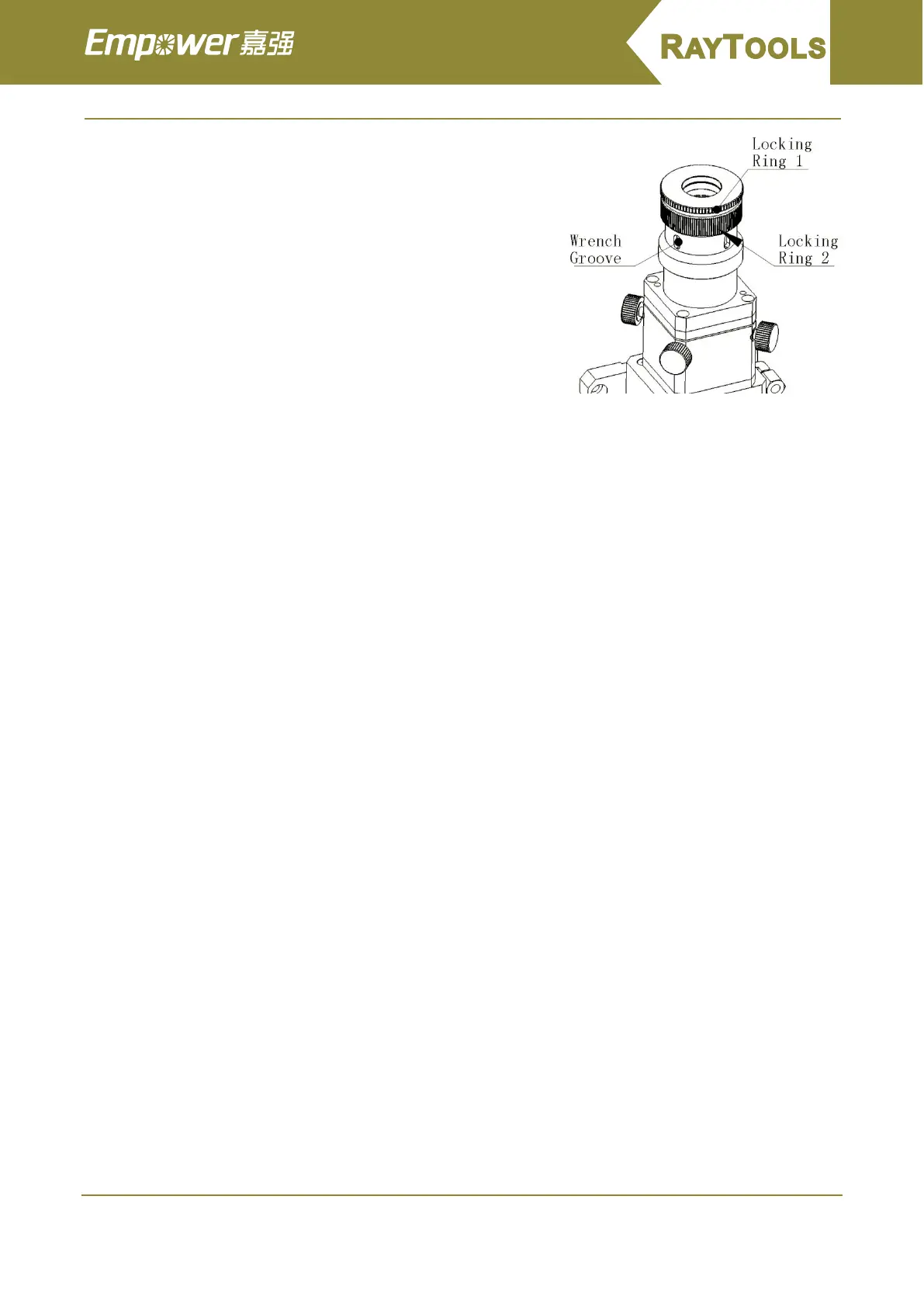
(1)loosen locking ring 1 and 2.
(2)Input the fiber connector horizontally
(3)Tighten locking ring 1 and 2. Use a wrench if necessary.
Figure 4-2 Fiber Orientation



 To Next Page