BT240 Product Manual
V1.0 RayTools AG. Copy Right 8 | 15
www.raytools.net
3 Operation-Mechanicals
3.1 Beam Centering
3.1.1 QCS Beam Centering
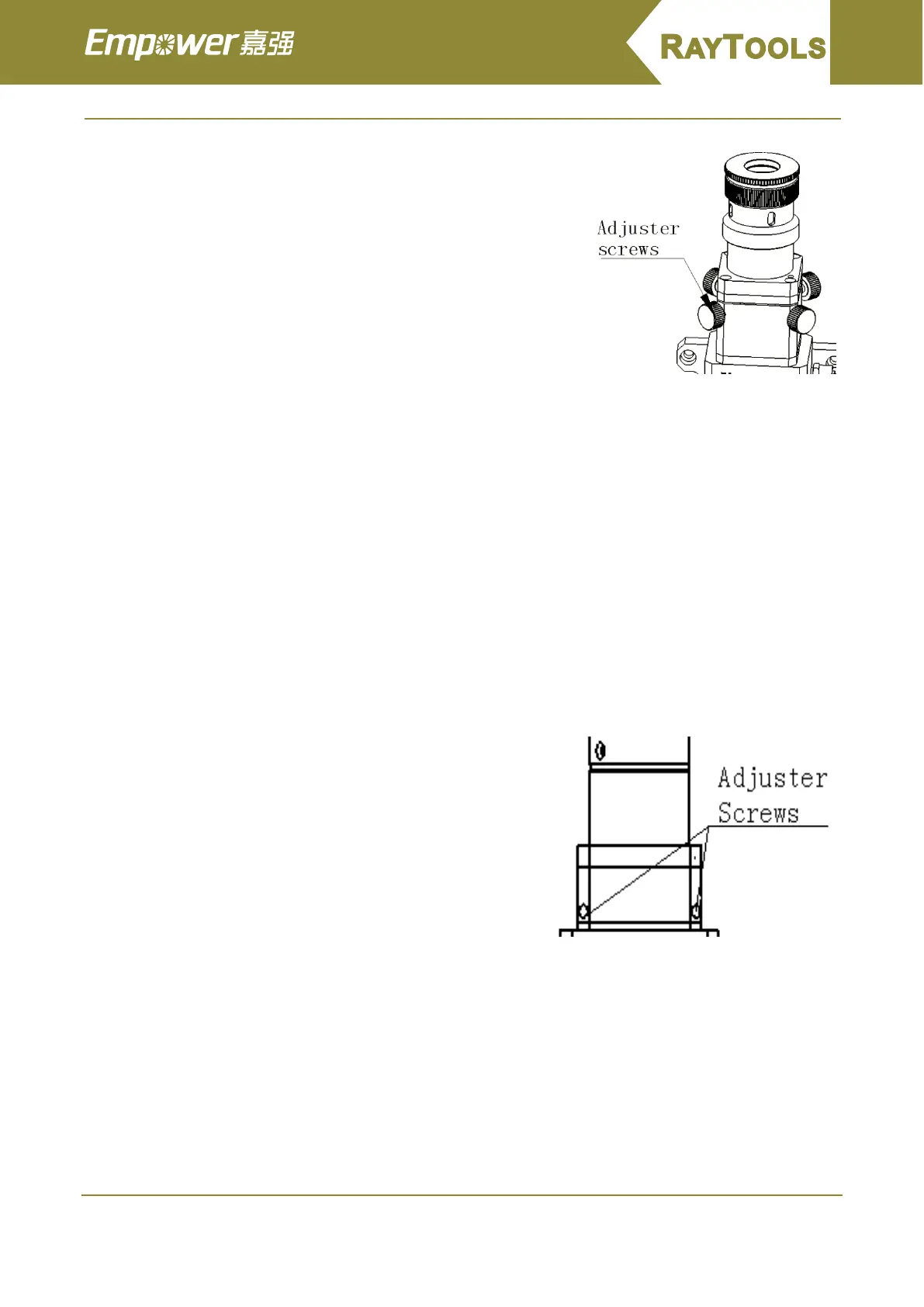
There are four set screws in the four corners. Divide them into two
groups and each group has two screws. Set the screws in pair: tighten
one and loosen the other.
Centering method:
1. Loosen the adjuster screw in the opposite direction you want
the beam to move. Then tighten the adjuster screw that is
opposite of the screw that is opposite of the screw that was just
loosened.
2. Use two groups of screws until the beam is centered in the tip.
3. Once the beam is centered, double-check to ensure that the all adjuster screws are snug finger tight.
3.1.2 QBH Beam Centering
The best cutting quality to a great extent relies on the centering lens. If the lens is not in the middle, the
beam may touch the tip or the inner wall and lead to deformation because of high temperature.
When the gas jet tip is changed or the cutting quality is not good, the lenses should be centered.
Tip centering of BT240 is accomplished by adjusting the X-Y position of the collimating lenses.See Figure 5
for locations of adjuster screws on cutting heads. Loosen or tighten the screws with a 2.5mm hex wrench until
the beam is centered in the tip.
One common method to make sure the beam is centered in the tip is to use a piece of translucent tape
(1)Put a piece of translucent tape on the end of the Gas Jet Tip.
(2)Turn on the laser’s internal red aiming beam and observe the
position of the beam on the tape relative to the nozzle orifice. Use
the adjuster screws to center the red dot on the nozzle orifice.
(3)Next power up the laser at a power setting of 80W-100W and
take a shot.
(4)Tear down the tape and check whether the hole is centered
in the nozzle orifice.
(5)A series of adjustments and shots may be needed until the
beam is centered in the Gas Jet Tip.
This method needs a series of adjustments and is the basic
operation of any laser centering.
3.2 Setting Focus Position
BT240 is equipped with a adjustable lens holder that allows you to move the laser focal point to optimize
the laser processing. The lens has a total of 20mm of movement. You should find the focal point before cutting.
There are a lot of ways to find the focal point. One of them is to paste crepe paper at the end of the tip:
1. Adjust the Focus Dial Knob to the largest scale and power up the laser at a power setting of 80-100W
2. Take a laser shot on the crepe paper each movement of less than 0.55mm (the nearer the movement
is, the better)



 To Next Page