The lamp will be lit using the
active color.
Switch between the following colors: red,
orange, yellow, green, cyan, blue, and
purple.
The lighting will mimic the
motion of flames using the active
color.
The light will fade in and out of
the active color.
The lamp will use the active
Chroma effect. By default, this is
set to Upward wave.
Rotate clockwise or counterclockwise to
cycle through the following Chroma effects
back and forth: upward wave, downward
wave, clockwise wave, counterclockwise
wave, and spectrum cycling.
When the lamp is idle after pressing the mode button or changing the light mode for 10 seconds,
it will revert the dial's function to brightness adjustment.
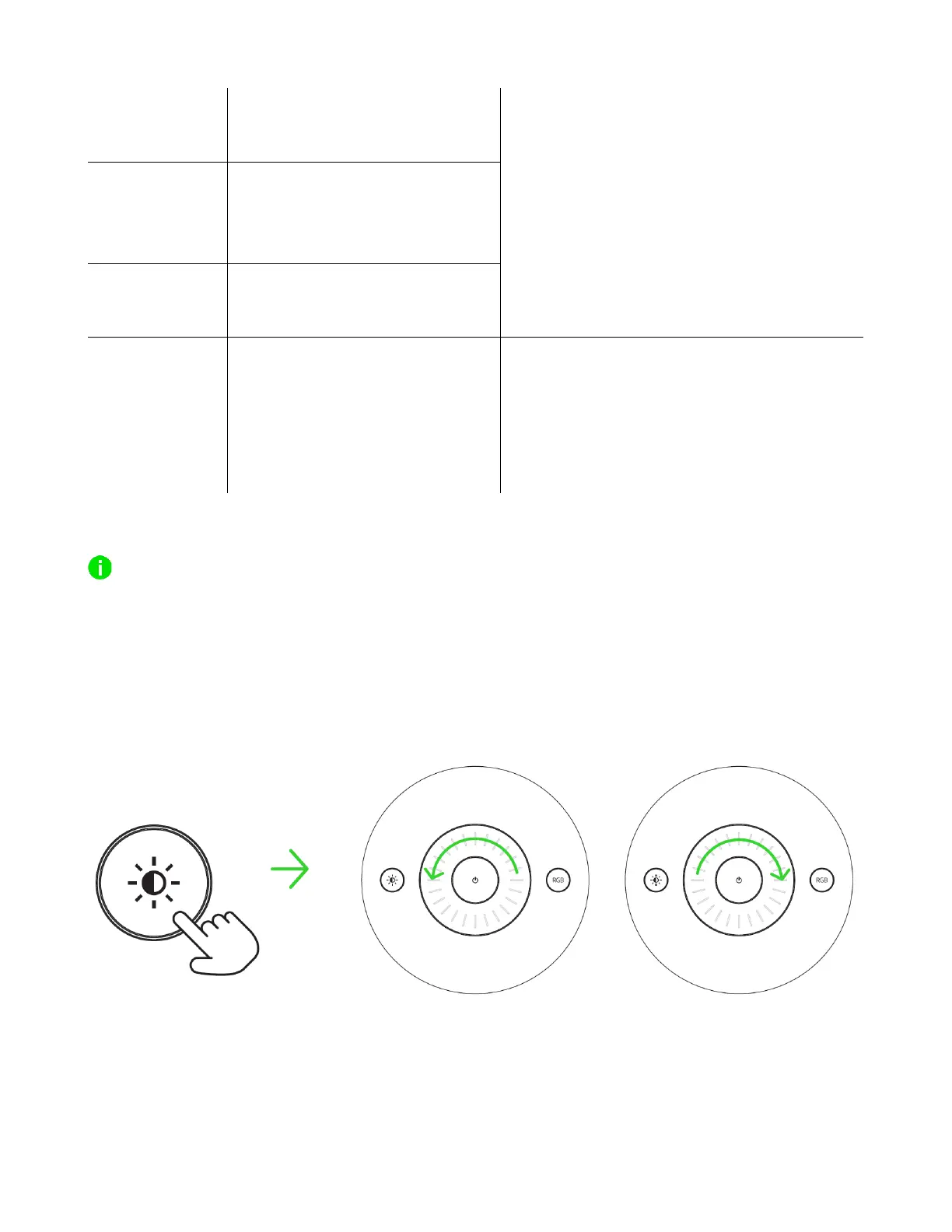
ADJUSTING BRIGHTNESS
On any light mode, pressing the brightness button will allow you to use the multi-function dial to
increase or decrease the brightness of the lamp's active light mode.
Enable
brightness
adjustment



 To Next Page