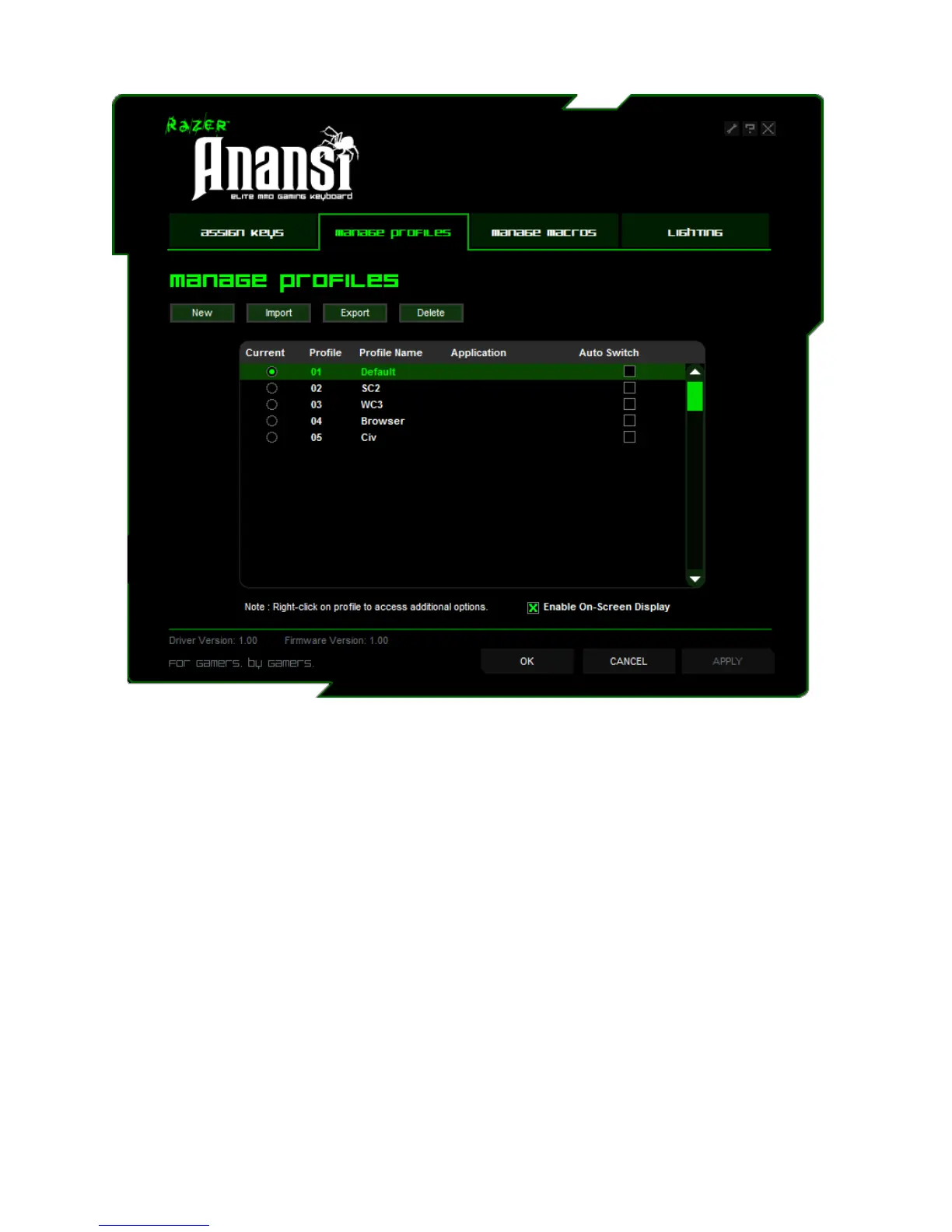
MANAGE PROFILES TAB
A profile allows you to store your various keyboard settings such as key assignments and macros as a
single group for your convenience.
In the Manage Profiles tab, you can create and launch customized profiles based on the application you
have activated.
a. Current: Indicates the current active profile.
b. Profile: Indicates the profile number
c. Profile Name: Right-click on this row and select "Rename" to enter a profile name of your choice.
d. Application: Right-click this row and select "Assign Application" to open up the directory
browsing. Select the executable file of the program you want the profile to be linked to.
e. Auto Switch: Check the box to enable automatic profile switching when the chosen application is
launched.
Check the Enable On-Screen Display box to show your profile name when the profile is activated.






 To Next Page