4. CONFIGURING YOUR RAZER ANANSI
The features listed here require the Razer Anansi Configurator to be installed and the Razer Anansi Tray
Icon to be active.
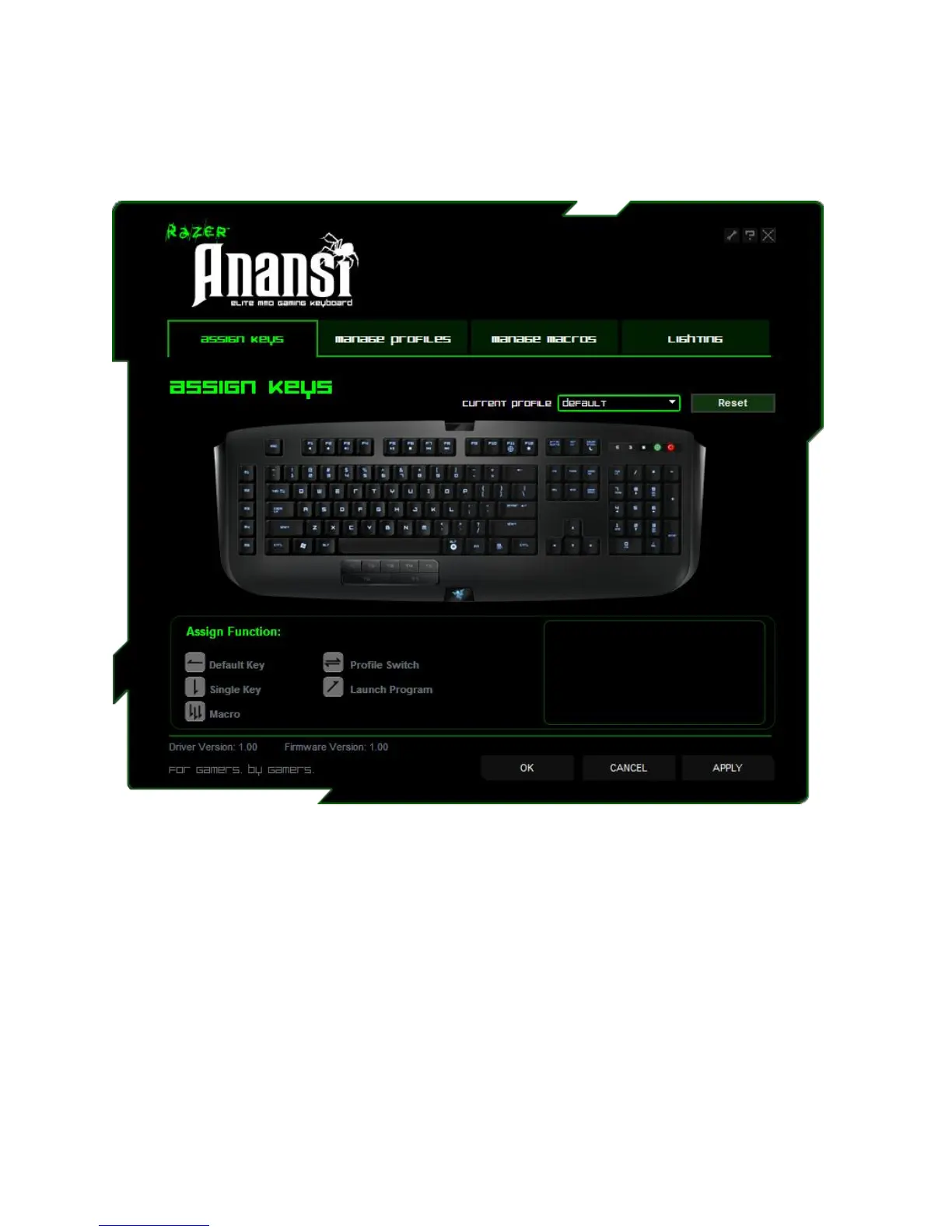
ASSIGN KEYS TAB
In the Assign Keys tab, you can assign various functions to each of the keys based on your own
preferences. Each key can be programmed using the following functions:
Default key – Revert to the default function of the key.
Single key – Change the function of the key to another.
Macro – Assign a macro to the key.
Profile Switch – Assign a profile to the key for quick profile change.
Launch Program – Activate a program with the key.
Note: All keys are programmable except for "Fn" key.
Make use of the Current Profile drop down menu to switch between different profiles during key
assignment.






 To Next Page