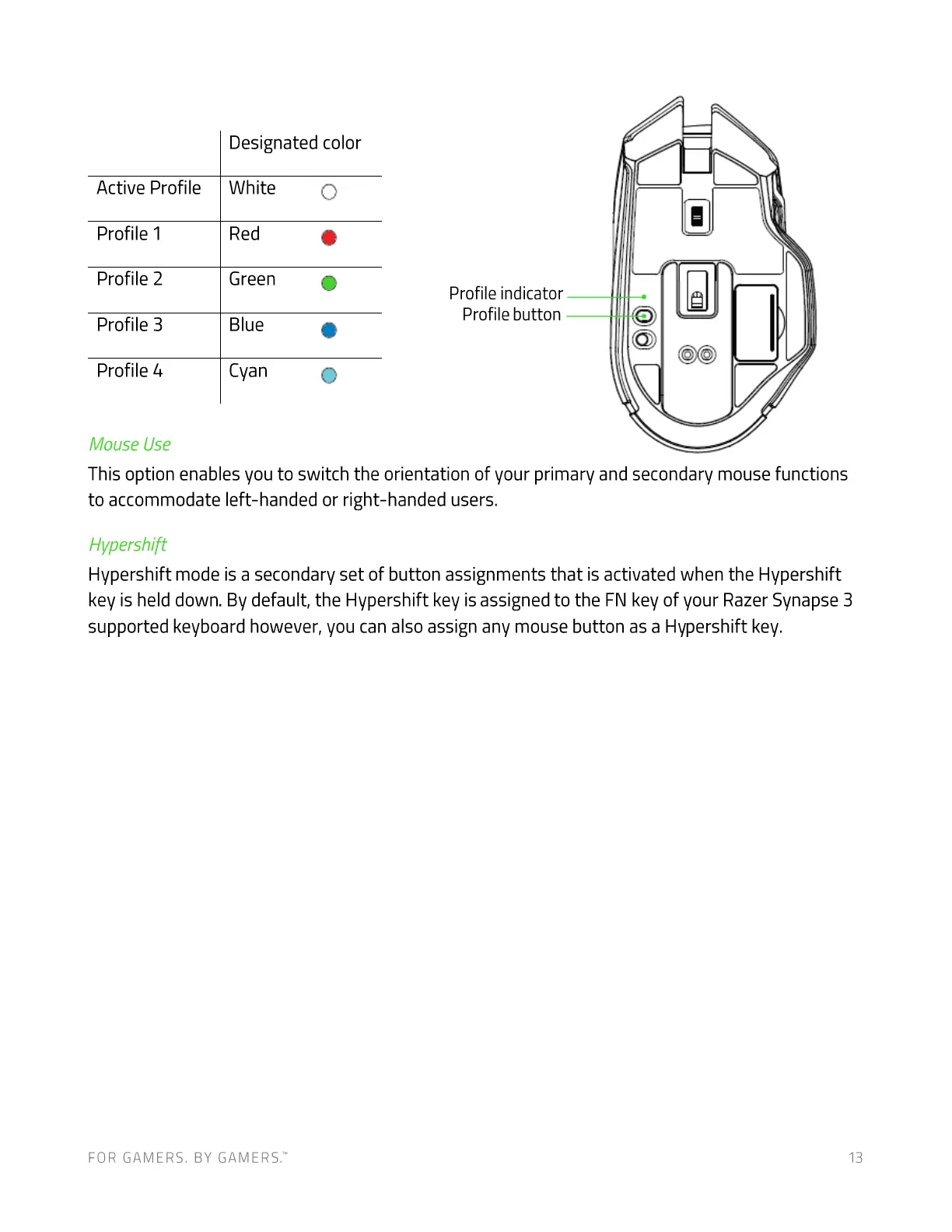
Designated color
Active Profile
Profile 1
Profile 2
Profile 3
Profile 4
Mouse Use
White
Red
Green
Blue
Cyan
o
o
o
Profile indicator
Profile button
This option enables you to switch the orientation of your primary and secondary mouse functions
to accommodate left-handed or right-handed users.
Hvpershift
Hypershift mode is a secondary set of button assignments that is activated when the Hypershift
key is held down. By default, the Hypershift key is assigned to the FN key of your Razer Synapse 3
supported keyboard however, you can also assign any mouse button as a Hypershift key.
FOR GAMERS. BY GAME-RS:
13













 To Next Page