(8ms), 500Hz (2ms) and 1000Hz (lms) by selecting your desired polling rate on the dropdown
menu.
Mouse Properties
From here, you can access the Windows Mouse Properties where you modify operating system
settings that can directly affect your Razer Basilisk Ultimate.
Lighting
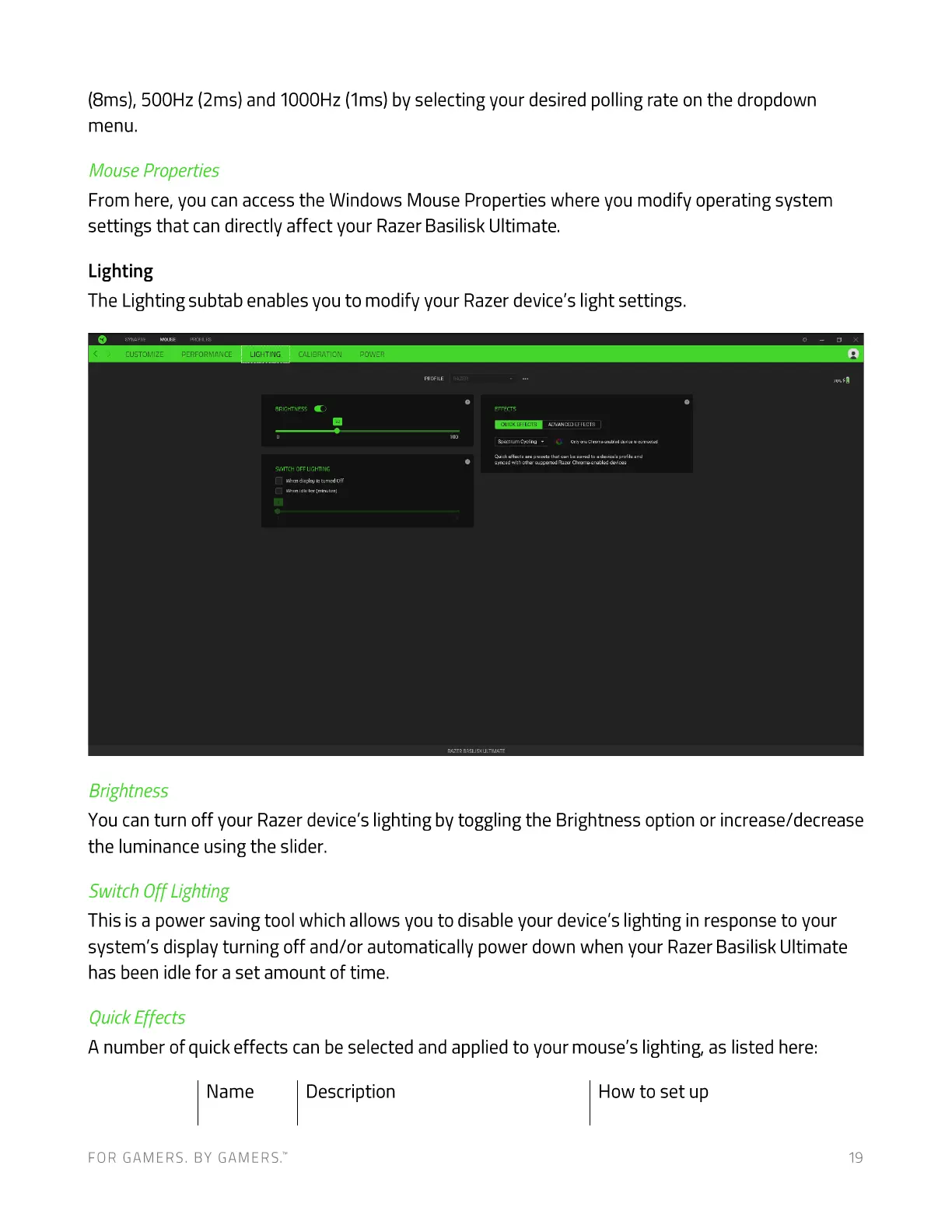
The Lighting subtab enables you to modify your Razer device's light settings.
CLISTCMIZE
Brightness
LIGHTING r_ALIBRArou
OFF
You can turn off your Razer device's lighting by toggling the Brightness option or increase/decrease
the luminance using the slider.
Switch Off Lighting
This is a power saving tool which allows you to disable your device's lighting in response to your
system's display turning off and/or automatically power down when your Razer Basilisk Ultimate
has been idle for a set amount of time.
Quick Effects
A number of quick effects can be selected and applied to your mouse's lighting, as listed here:
Name
FOR GAMERS. BY GAME-RS:
Description How to set up
19













 To Next Page