SETTINGS WINDOW
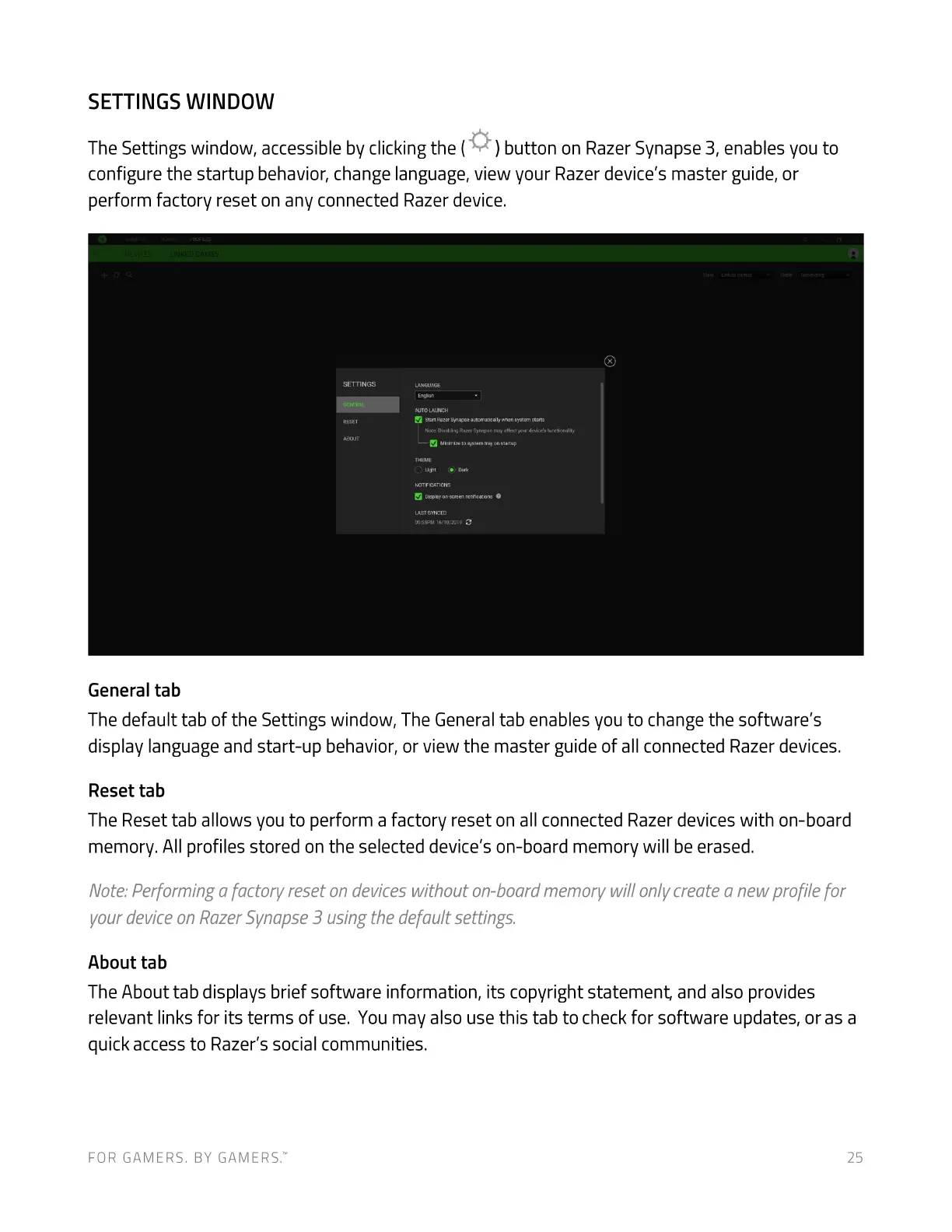
The Settings window, accessible by clicking the ( ) button on Razer Synapse 3, enables you to
configure the startup behavior, change language, view your Razer device's master guide, or
perform factory reset on any connected Razer device.
General tab
The default tab of the Settings window, The General tab enables you to change the software's
display language and start-up behavior, or view the master guide of all connected Razer devices.
Reset tab
The Reset tab allows you to perform a factory reset on all connected Razer devices with on-board
memory. All profiles stored on the selected device's on-board memory will be erased.
Note: Performing a factory reset on devices without on-board memory will only create a new profile for
your deviceon Razer Synapse3 using the default settings
About tab
The About tab displays brief software information, its copyright statement, and also provides
relevant links for its terms of use. You may also use this tab to check for software updates, or as a
quick access to Razer's social communities.
FOR GAMERS. BY GAME-RS:
25













 To Next Page