Scroll wheel
Customize the way the RazerTMHyperScroll Tilt Wheel speeds through content.
Scroll acceleration
Enable Razer Synapse to detect how fast you scroll and virtually amplify the scroll wheel's
movement the faster you scroll through content.
Scrolling mode
Switch between Tactile mode to enjoy more precision with satisfying feedback or Free-spin mode
to speed through content with ease.
Smart-Reel
Smart-reel enables the mouse to switch between Free-Spin and Tactile mode automatically. When
enabled, the scroll wheel will automatically activate Free-Spin mode when performing fast
scrolling movements and revert to Tactile mode when there's no scroll movement.
HvperSpeedMulti-Device Pairing
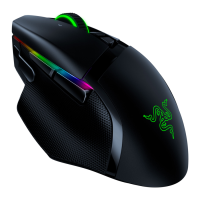
Use this feature to pair an additional HyperSpeed-compatible device with the wireless USB dongle
of your Razer Basilisk Pro. As its wireless USB dongle can support a keyboard and mouse
simultaneously, you'll be able to remove the usage of separate dongles for each peripheral.
Your Razer Basilisk V3 Pro must be connected via Hyper Speed (2.4 GHz) wireless mode to
0
use this feature. Each peripheral can only connect to one dongle at a time.
FOR GAMERS. BY GAMERS.W 16











 To Next Page