16 | For gamers by gamers™
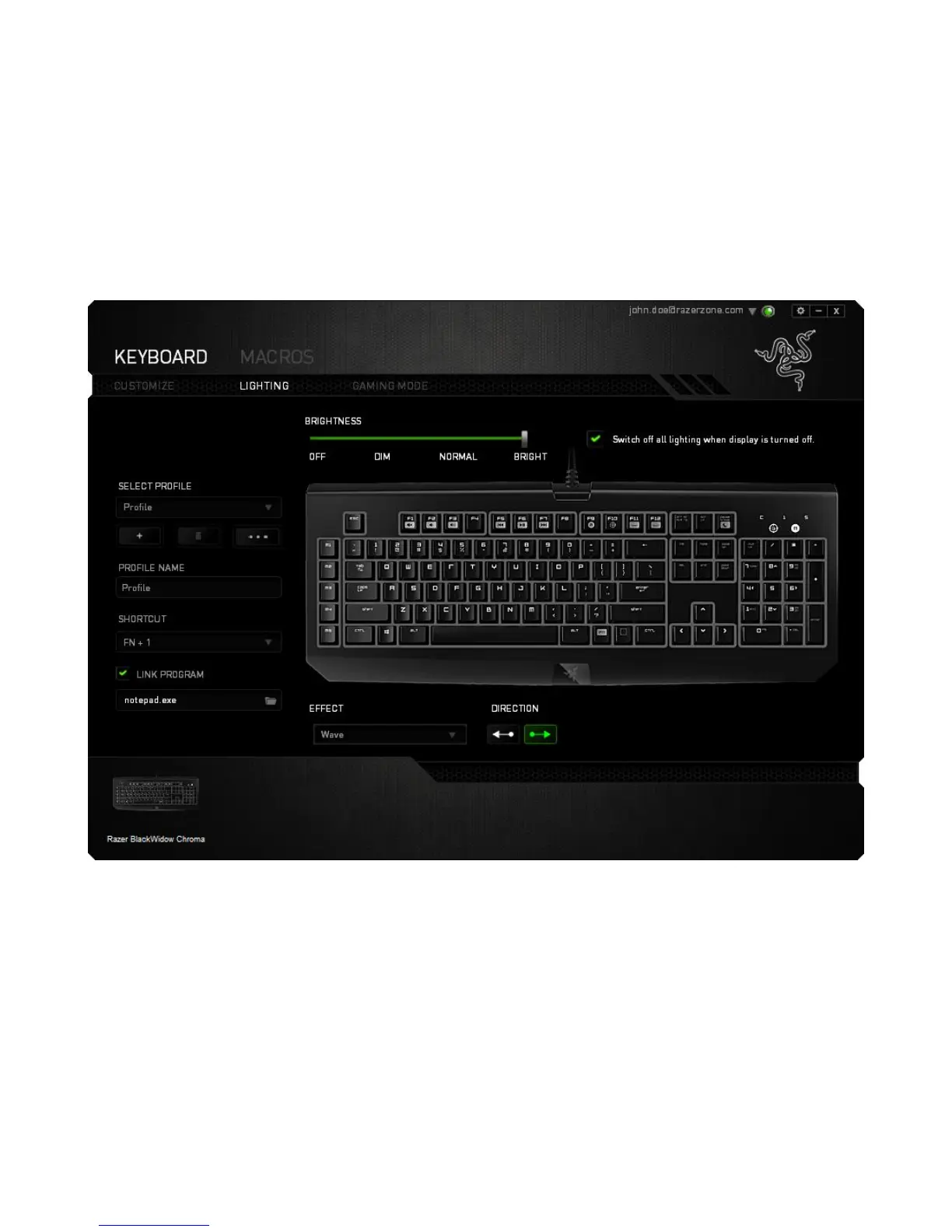
Lighting Tab
The Lighting Tab is where you can customize the color of the lighting of individual keys
or select pre-loaded lighting effects to be applied to the entire keyboard. You can also
adjust the brightness of the lighting and set the system to turn off all lighting on the
device when your monitor display is turned off. Changes made in this tab will be
automatically saved to the current profile.






 To Next Page