17 | razer™
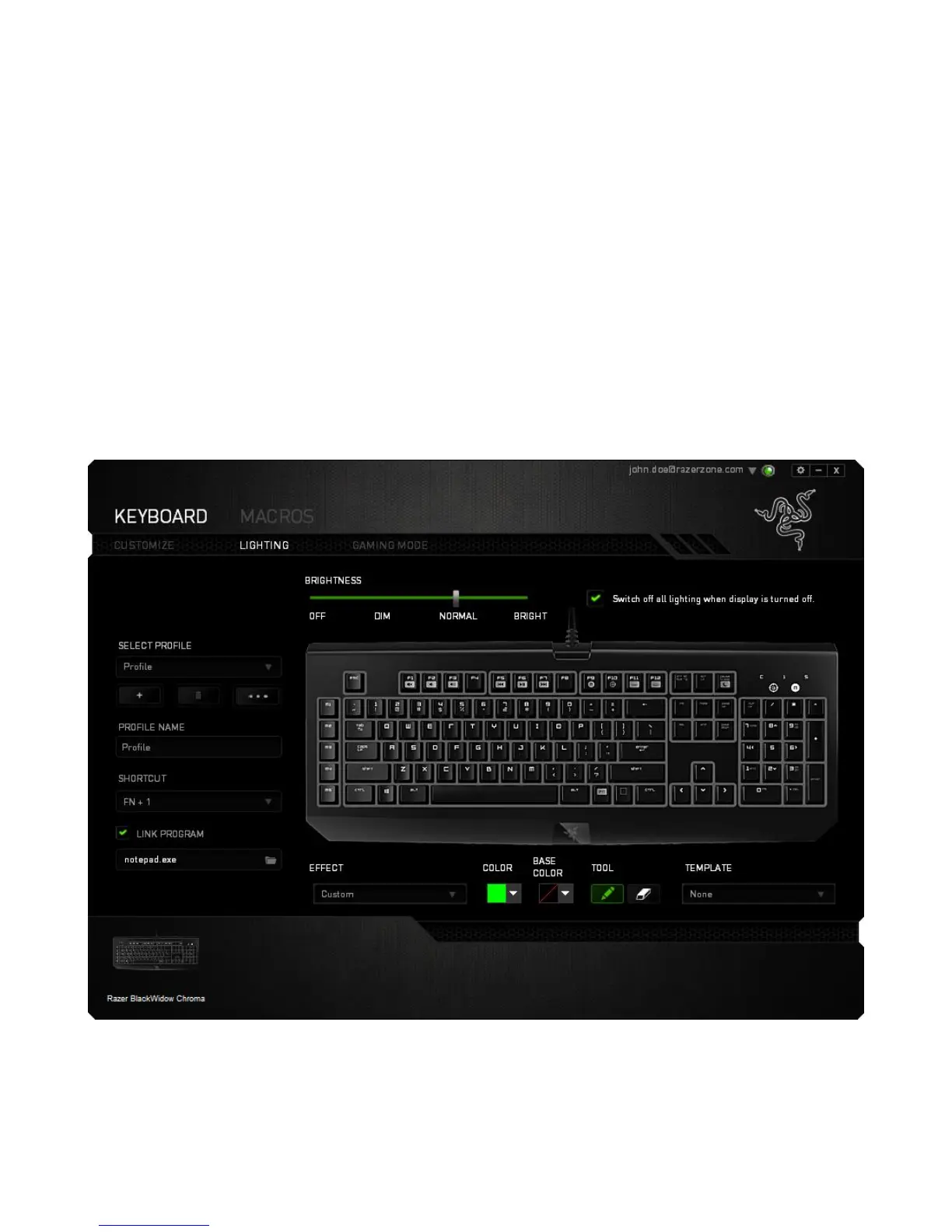
Pre-loaded lighting effects
A number of pre-loaded lighting effects can be selected and applied to your keyboard
lighting as a whole, such as spectrum lighting, breathing etc. The default effect is
spectrum lighting. Select your desired effect and their corresponding properties (such
as color) from the bottom area of this tab.
Customized lighting effects
You can also select the lighting color for each key individually. Select the Effect
“Custom” and select the key to change. Then pick a color using the color picker.
The “Custom” option also includes templates for various game genres such as FPS,
MOBA, MMO and RTS etc.






 To Next Page