USING THE BUTTONS
HEADSET
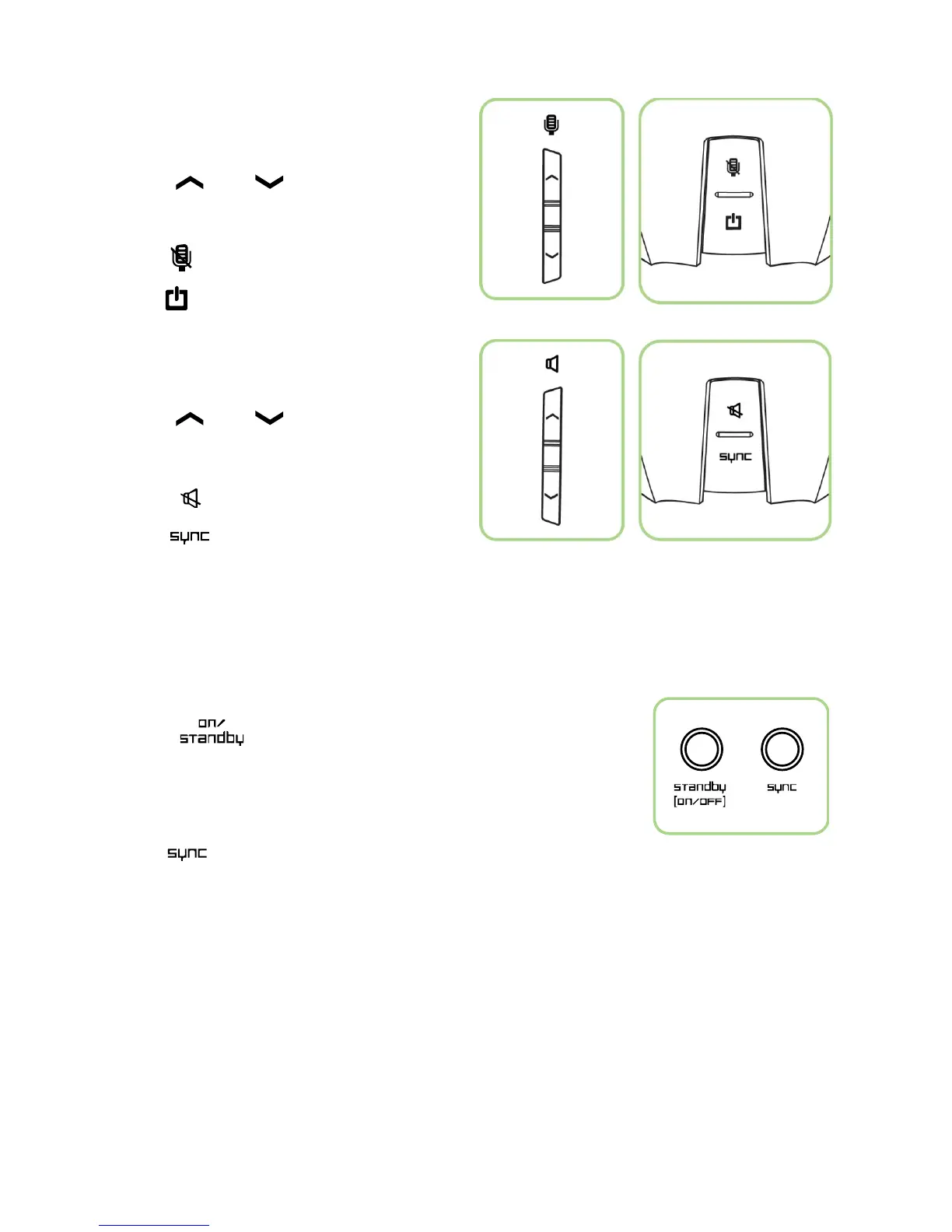
Buttons On The Left Ear Cup
• Press and to
increase/decrease the microphone volume.
• Press to mute the microphone.
• Hold to power on/off the headset.
Buttons On The Right Ear Cup
• Press and to
increase/decrease the audio volume.
• Press to mute the audio volume.
• Hold to pair the headset with the
base station.
BASE STATION
Standby Button
• Press to turn on/off the power of the base station.
Source/Synchronization Button
• Hold to pair the base station with the headset.


 To Next Page