4. GETTING STARTED
SETTING UP THE ARGB CONTROLLER
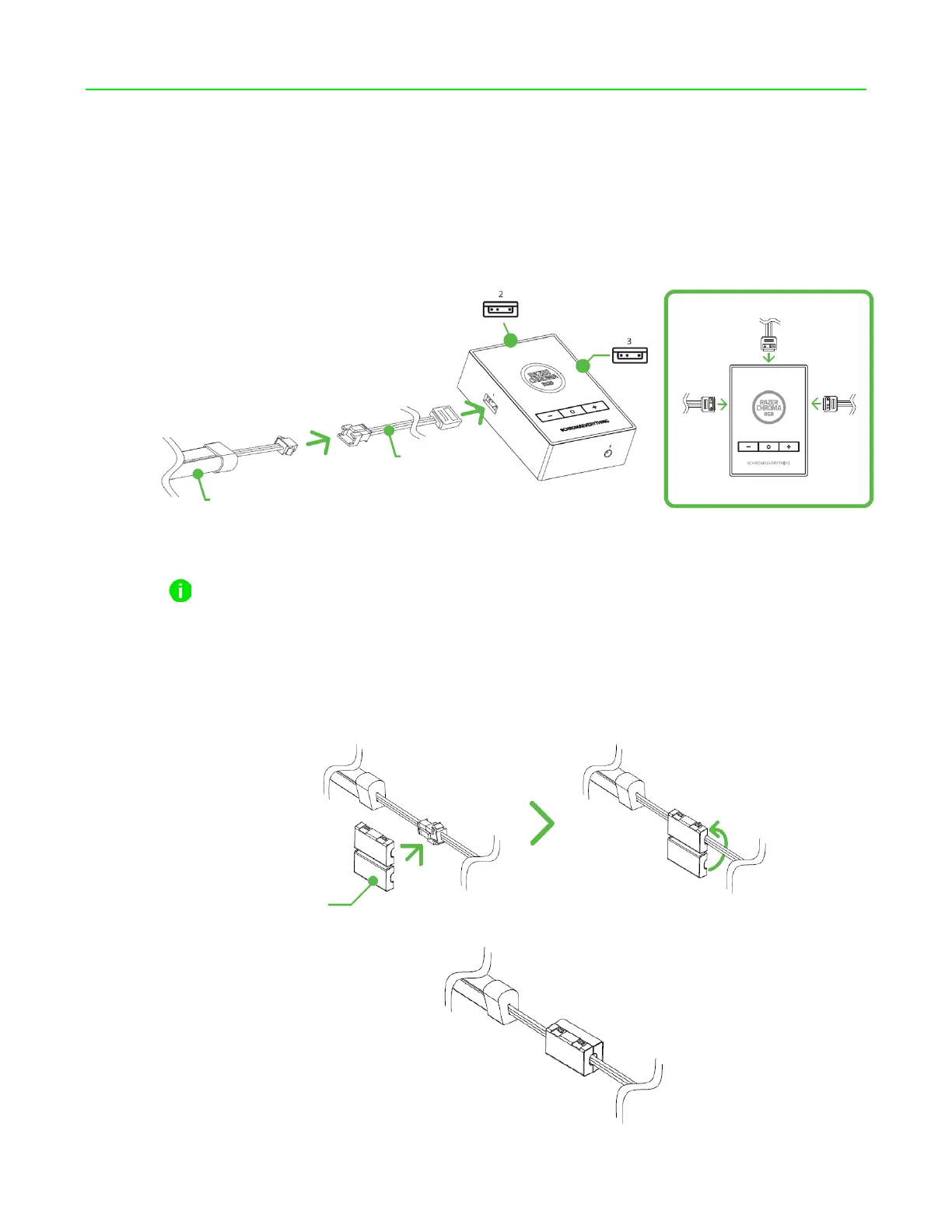
1. Insert the controller to LED strip connector cables to the 3-pin 5V ports of the ARGB controller
and plug the LED strips to each cable.
Before plugging a controller to LED strip connector to any of the 3-pin 5V ports of the
ARGB controller, make sure that its pins are properly aligned to the chosen port.
Enclose all LED strip connections using the included protector clips to keep them from being
unplugged or exposed to undue pressure.



 To Next Page