Your Razer DeathAdder V2 X HyperSpeed is now ready for use in wireless mode.
Via Bluetooth mode
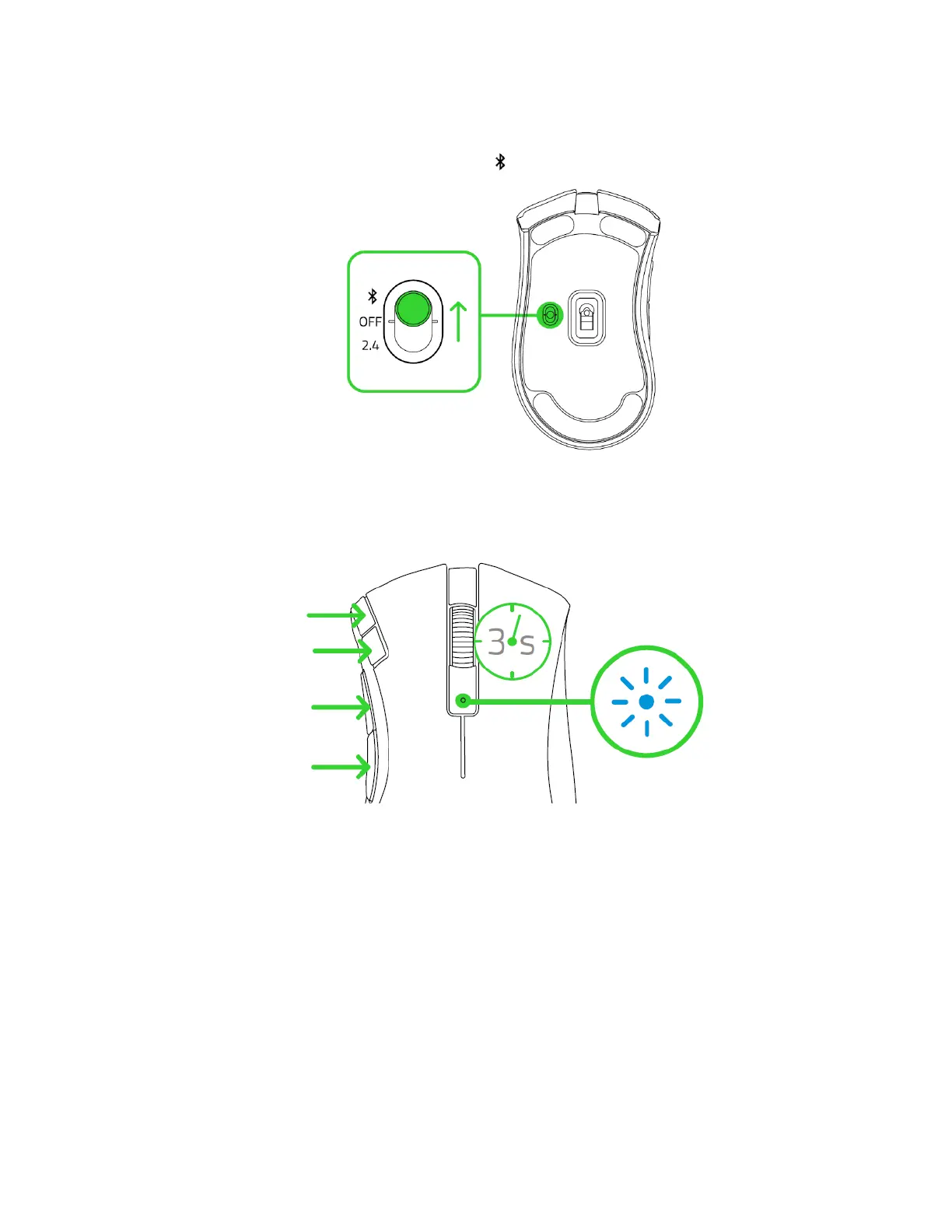
1. Push the slider switch to Bluetooth mode ( ).
2. Press and hold the two side buttons, the DPI stage up, and the DPI stage down
buttons simultaneously for three seconds to activate pairing mode. The status indicator
will blink twice in repeated intervals to show that the device is in pairing mode.
3. Activate Bluetooth on your device, search for new Bluetooth devices, and select “DA
V2 X” from the list of devices found.
4. Wait until the mouse pairs with your device. When paired, the status indicator will
briefly turn static blue.













 To Next Page