CONNECTING YOUR MOUSE
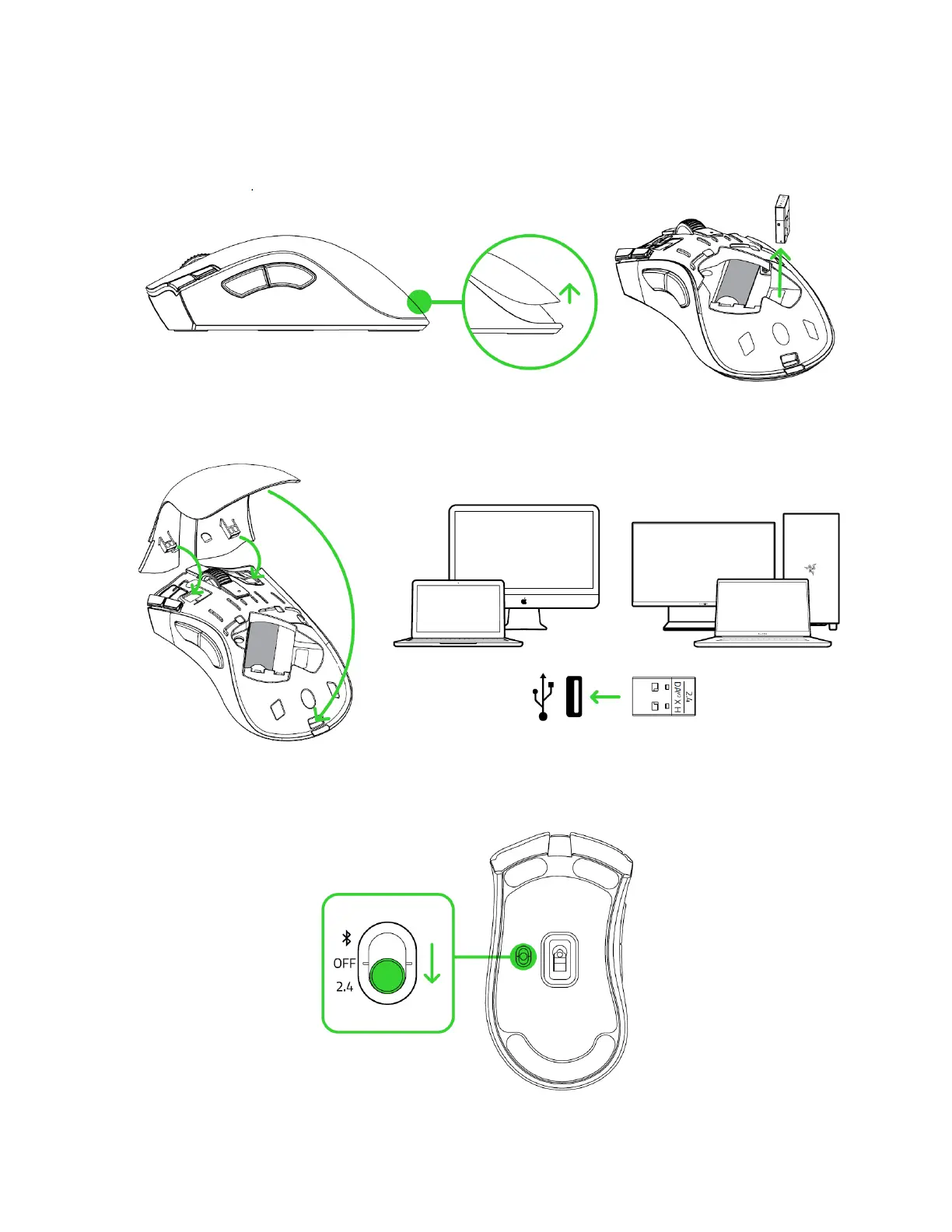
Via Razer™ Hyperspeed wireless (2.4 GHz) mode
1. Remove the top cover of the mouse and take out the wireless dongle.
2. Close the top cover and insert the wireless dongle into any of the USB ports on your
PC.
3. Push the slider switch to Razer™ HyperSpeed Wireless (2.4 GHz) mode. When
connected, the status indicator will briefly turn static green.













 To Next Page